> ## Documentation Index
> Fetch the complete documentation index at: https://docs.brightdata.com/llms.txt
> Use this file to discover all available pages before exploring further.
# Bright Data API Postman collection
> Quickly test and explore Bright Data's APIs using our Postman collection. View, run, and fork API requests without setting up your own backend environment.
## Getting Started
Get up and running with Bright Data API Postman collection in just 3 simple steps:
1. **Get your Bright Data API key**: Generate your [Bright Data API key from your account dashboard](/api-reference/authentication#how-do-i-generate-a-new-api-key%3F)
2. **Update Postman collection environment variable**: Set your `BRIGHT_DATA_API_KEY` in the Postman collection environment variables under Production environment.
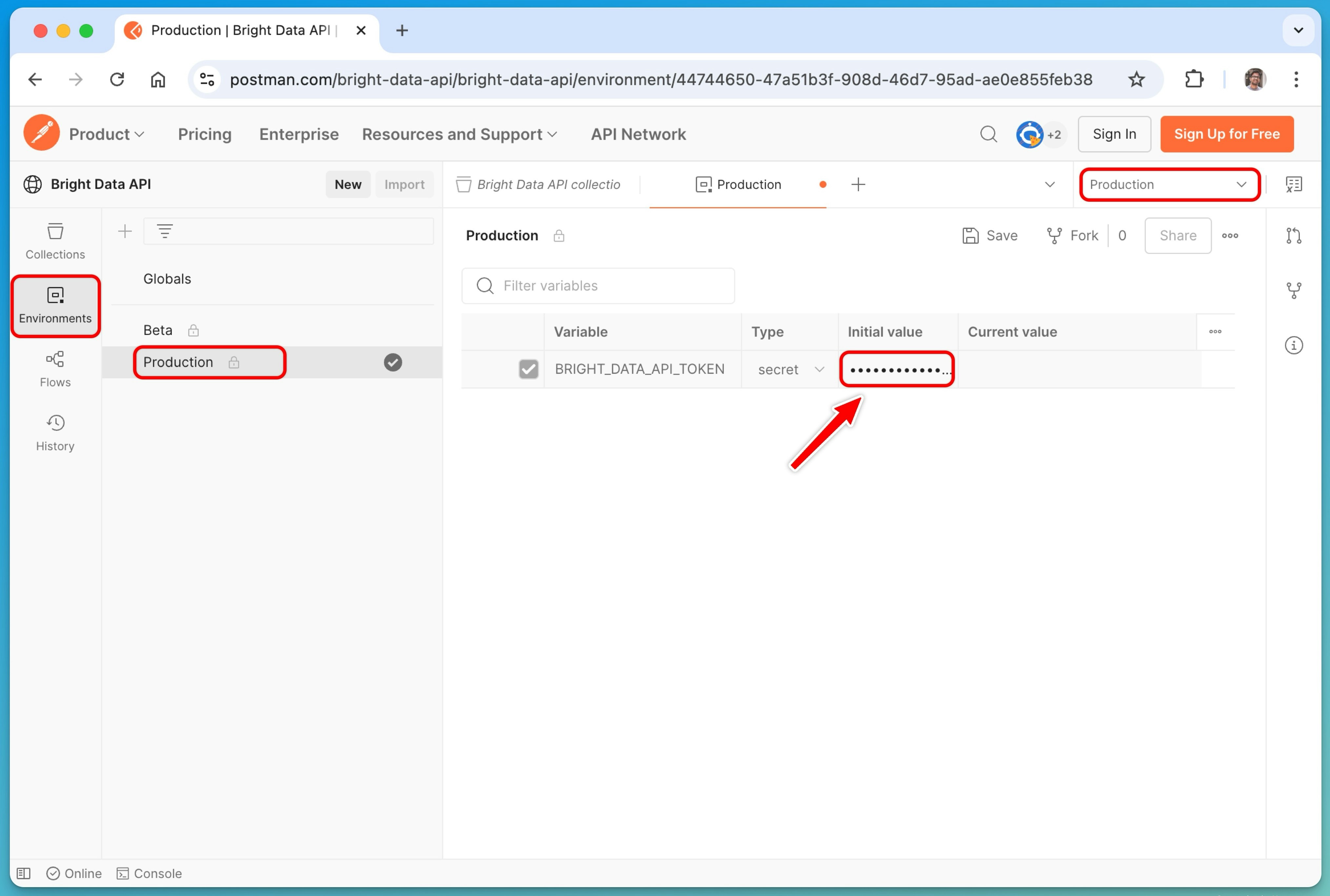 3. **Start scraping**: Select the `Production` environment from the dropdown menu in the top-right corner, then customize the request body and parameters. Once configured, simply click the **Send** button to execute your request and retrieve the results.
This Postman collection includes few popular endpoints and will expand based on user needs. For complete documentation, see the official [Bright Data API reference](/api-reference).
3. **Start scraping**: Select the `Production` environment from the dropdown menu in the top-right corner, then customize the request body and parameters. Once configured, simply click the **Send** button to execute your request and retrieve the results.
This Postman collection includes few popular endpoints and will expand based on user needs. For complete documentation, see the official [Bright Data API reference](/api-reference).