> ## Documentation Index
> Fetch the complete documentation index at: https://docs.brightdata.com/llms.txt
> Use this file to discover all available pages before exploring further.
# Bright Data API Postman 集合
> 使用我们的 Postman 集合快速测试并探索 Bright Data 的 APIs。无需设置后端环境即可查看、运行和派生 API 请求。
## 开始使用
只需 3 个简单步骤,即可开始使用 Bright Data API Postman 集合:
1. **获取你的 Bright Data API Key**:从你的账户面板生成 [Bright Data API key](/cn/api-reference/authentication#如何生成新的-api-key?)
2. **更新 Postman 集合环境变量**:在 Postman 集合的 Production 环境下,将你的 `BRIGHT_DATA_API_KEY` 设置为环境变量。\\
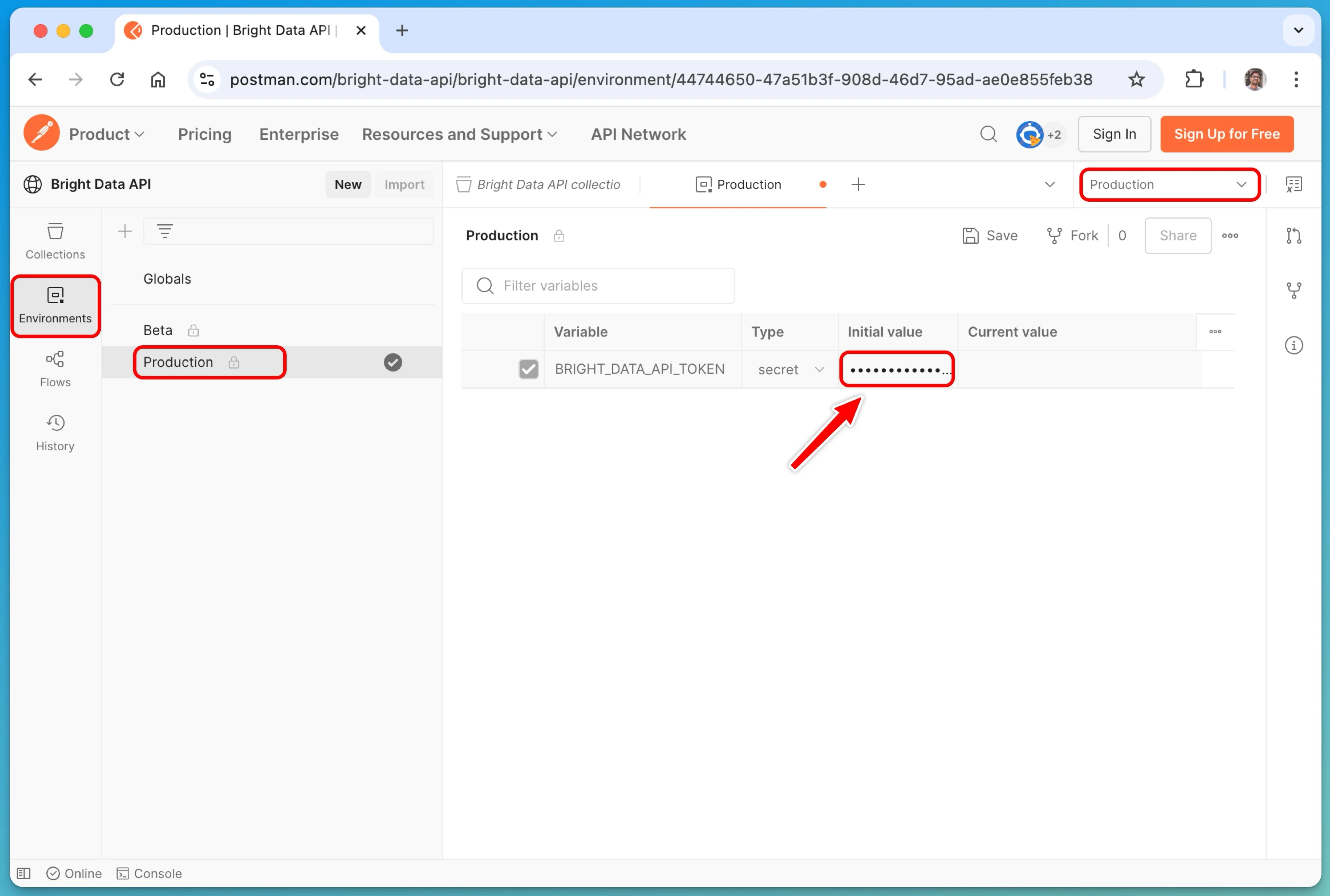 3. **开始抓取数据**:从右上角的下拉菜单中选择 `Production` 环境,然后自定义请求主体和参数。配置完成后,只需点击 **Send** 即可执行请求并获取结果。
此 Postman 集合包含一些常用的端点,并将根据用户需求持续扩展。完整文档请参阅官方的 [Bright Data API 参考](/cn/api-reference)。
3. **开始抓取数据**:从右上角的下拉菜单中选择 `Production` 环境,然后自定义请求主体和参数。配置完成后,只需点击 **Send** 即可执行请求并获取结果。
此 Postman 集合包含一些常用的端点,并将根据用户需求持续扩展。完整文档请参阅官方的 [Bright Data API 参考](/cn/api-reference)。