> ## Documentation Index
> Fetch the complete documentation index at: https://docs.brightdata.com/llms.txt
> Use this file to discover all available pages before exploring further.
# 触发异步数据采集 API
> 了解如何使用 Scrapers 触发数据采集,支持 discovery 和 PDP 两种采集方式。可自定义请求、设置交付选项,并高效获取数据。
## 工作原理
默认情况下,抓取请求会以异步方式处理。提交请求后,系统会在后台开始处理任务,并立即返回一个快照 ID。任务完成后,你可以使用该快照 ID 通过 API 下载数据,从而在任意时间获取结果。你也可以将请求配置为自动将结果交付到外部存储(如 S3 或 Azure Blob Storage)。这种方式非常适合处理大规模任务或集成自动化数据管道。
## Body
提供给 scraper 使用的输入。可作为 JSON 或 CSV 文件提交:
一个 JSON 数组作为输入
> **Example**: `[{"url":"https://www.airbnb.com/rooms/50122531"}]`
***
一个 CSV 文件,通过字段 `data` 传入
> **Example** (curl): `data=@path/to/your/file.csv`
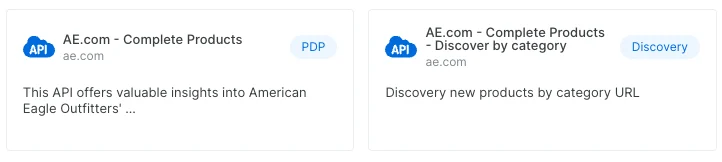
## Web Scraper 类型
不同 scraper 可能需要不同的输入。主要有两类:
### 1. PDP
这些 scraper 需要 URL 作为输入。PDP scraper 会从网页提取产品详情,如规格、价格和功能信息。
### 2. Discovery
Discovery scrapers 允许通过搜索、分类、关键词等方式探索并发现新的实体或产品。
 ## 请求示例
### `PDP` URL 输入示例
`PDP` 的输入格式始终是指向待抓取页面的 URL。
```sh Sample Request theme={null}
curl -H "Authorization: Bearer API_KEY" -H "Content-Type: application/json" -d '[{"url":"https://www.airbnb.com/rooms/50122531"},{"url":"https://www.airbnb.com/rooms/50127677"}]' "https://api.brightdata.com/datasets/v3/trigger?dataset_id=gd_ld7ll037kqy322v05&format=json&uncompressed_webhook=true"
```
### 基于 `discovery` 方法的 Discovery 输入示例
```sh Sample Request theme={null}
curl -H "Authorization: Bearer x2x3fdaaddrer" -H "Content-Type: application/json" -d '[{"keyword":"light bulb"},{"keyword":"dog toys"},{"keyword":"home decor"}]' "https://api.brightdata.com/datasets/v3/trigger?dataset_id=gd_l7q7dkf244hwjntr0&endpoint=https://webhook-url.com&auth_header=QWxhZGRpbjpPcGVuU2VzYW1l¬ify=https://notify-me.com/&format=ndjson&uncompressed_webhook=true&type=discover_new&discover_by=keyword&limit_per_input=10"
```
`discovery` 的输入格式可能因具体 scraper 而异。示例如下:
```JSON keywords theme={null}
[{"keyword": "light bulb"},{"keyword": "dog toys"},{"keyword": "home decor"}]
```
```JSON Search settings theme={null}
[{"url": "https://www.amazon.com/s?i=luggage-intl-ship", "sort_by": "Best Sellers"}]
```
```JSON Locations theme={null}
[{"location": "Europe"},{"location": "Greece"},{"location": "United States"}]
```
还有更多输入格式。你可以在[这里](https://www.bright.cn/cp/data_api)查看每个 scraper 所需的输入。
## OpenAPI
````yaml cn-dca-api POST /datasets/v3/trigger
openapi: 3.1.0
info:
title: Brightdata API
description: 用于与数据集市场交互的 API
version: 1.0.0
servers:
- url: https://api.brightdata.com
security:
- bearerAuth: []
paths:
/datasets/v3/trigger:
post:
description: 根据请求体提供的输入抓取目标网站
parameters:
- name: dataset_id
description: 触发数据采集的数据集 ID。
in: query
required: true
schema:
type: string
example: gd_l1vikfnt1wgvvqz95w
- name: custom_output_fields
description: 输出列列表,用 `|` 分隔 (例如 `url|about.updated_on`)。过滤响应,仅包含指定字段。
in: query
required: false
schema:
type: string
example: url|about.updated_on
- name: type
in: query
schema:
type: string
enum:
- discover_new
description: 设置为 "discover_new" 以触发包含发现阶段的数据采集。
- name: discover_by
in: query
schema:
type: string
description: >-
指定使用哪种发现方法。可选项包括:
"keyword"、"best_sellers_url"、"category_url"、"location" 等(根据具体
API)。仅对包含发现阶段的采集相关。
- name: include_errors
in: query
schema:
type: boolean
description: 在结果中包含错误报告。
- name: limit_per_input
in: query
schema:
type: number
minimum: 1
description: 每个输入的结果数量限制。仅对包含发现阶段的采集相关。
- name: limit_multiple_results
in: query
schema:
type: number
minimum: 1
description: 限制总结果数量。
- name: notify
in: query
schema:
type: string
description: 当采集完成时,通知将发送到此 URL,包含 snapshot_id 和状态。
- name: endpoint
in: query
schema:
type: string
description: 数据将被传送到的 webhook URL。
- name: format
in: query
schema:
type: string
enum:
- json
- ndjson
- jsonl
- csv
description: 指定传送到 webhook 的数据格式。
- name: auth_header
in: query
schema:
type: string
description: 发送通知到 notify URL 或通过 webhook 传输数据时使用的授权头。
- name: uncompressed_webhook
in: query
schema:
type: boolean
description: 默认情况下,数据会被压缩发送到 webhook。传 true 可不压缩发送。
requestBody:
required: true
content:
application/json:
schema:
anyOf:
- $ref: '#/components/schemas/TriggerInput'
title: 仅输入
- $ref: '#/components/schemas/TriggerAndDeliverBody'
title: 交付配置和输入
multipart/form-data:
schema:
type: string
description: CSV 文件,字段名为 data
responses:
'200':
description: 采集任务成功启动
content:
application/json:
schema:
type: object
properties:
snapshot_id:
type: string
description: 可在后续 API 中使用的请求 ID
example: s_m4x7enmven8djfqak
components:
schemas:
TriggerInput:
type: array
example:
- url: https://il.linkedin.com/company/bright-data
items:
type: object
additionalProperties: {}
TriggerAndDeliverBody:
type: object
example:
deliver:
type: webhook
filename:
extension: json
template: '{[snapshot_timestamp]}_{[snapshot_id]}'
endpoint: https://example.com/foo/bar
input:
- url: https://il.linkedin.com/company/bright-data
properties:
deliver:
$ref: '#/components/schemas/DeliverConfig'
input:
$ref: '#/components/schemas/TriggerInput'
custom_output_fields:
type: string
description: 输出列列表,用 `|` 分隔(例如,`url|about.updated_on`)。仅返回指定字段。
example: url|about.updated_on
DeliverConfig:
description: Deliver configuration
oneOf:
- $ref: '#/components/schemas/DeliverConfigWebhook'
description: Webhook
- $ref: '#/components/schemas/DeliverConfigGCS'
description: Google Cloud
- $ref: '#/components/schemas/DeliverConfigGCSPubSub'
description: Google Cloud PubSub
- $ref: '#/components/schemas/DeliverConfigS3'
description: Amazon S3
- $ref: '#/components/schemas/DeliverConfigSnowflake'
description: Snowflake
- $ref: '#/components/schemas/DeliverConfigAliOSS'
description: Aliyun Object Storage Service
- $ref: '#/components/schemas/DeliverConfigSFTP'
description: SFTP
- $ref: '#/components/schemas/DeliverConfigAzure'
description: Microsoft Azure
DeliverConfigWebhook:
allOf:
- $ref: '#/components/schemas/DeliverConfigBase'
- type: object
properties:
type:
enum:
- webhook
endpoint:
type: string
format: uri
description: Webhook 的端点 URL。
DeliverConfigGCS:
allOf:
- $ref: '#/components/schemas/DeliverConfigBase'
- type: object
properties:
type:
enum:
- gcs
bucket:
type: string
description: 存储桶名称。
credentials:
type: object
additionalProperties: false
description: 认证凭据
properties:
client_email:
type: string
private_key:
type: string
required:
- client_email
- private_key
directory:
type: string
description: 目标路径
required:
- bucket
- credentials
DeliverConfigGCSPubSub:
allOf:
- $ref: '#/components/schemas/DeliverConfigBase'
- type: object
properties:
type:
enum:
- gcs_pubsub
topic_id:
type: string
attributes:
type: array
items:
type: object
credentials:
type: object
additionalProperties: false
properties:
client_email:
type: string
private_key:
type: string
required:
- client_email
- private_key
required:
- topic_id
- credentials
DeliverConfigS3:
allOf:
- $ref: '#/components/schemas/DeliverConfigBase'
- type: object
properties:
type:
enum:
- s3
bucket:
type: string
endpoint_url:
type: string
description: 类似 S3 的主机 URL,仅在使用 Access Key 认证时可用
credentials:
type: object
additionalProperties: false
minProperties: 2
properties:
aws-access-key:
type: string
aws-secret-key:
type: string
role_arn:
type: string
external_id:
type: string
oneOf:
- title: Role ARN
required:
- role_arn
- external_id
- title: Access Key
required:
- aws-access-key
- aws-secret-key
region:
type: string
directory:
type: string
required:
- bucket
- credentials
DeliverConfigSnowflake:
allOf:
- $ref: '#/components/schemas/DeliverConfigBase'
- type: object
properties:
type:
enum:
- snowflake
database:
type: string
description: 数据库名称
schema:
type: string
description: 数据库模式
stage:
type: string
description: Snowflake 阶段名称
role:
type: string
description: 用户角色
warehouse:
type: string
description: 仓库名称
credentials:
type: object
additionalProperties: false
description: 认证凭据
properties:
account:
type: string
user:
type: string
password:
type: string
required:
- account
- user
- password
required:
- database
- schema
- stage
- role
- warehouse
- credentials
DeliverConfigAliOSS:
allOf:
- $ref: '#/components/schemas/DeliverConfigBase'
- type: object
properties:
type:
enum:
- ali_oss
bucket:
type: string
credentials:
type: object
additionalProperties: false
properties:
access-key:
type: string
secret-key:
type: string
required:
- access-key
- secret-key
region:
type: string
directory:
type: string
required:
- bucket
- credentials
- region
DeliverConfigSFTP:
allOf:
- $ref: '#/components/schemas/DeliverConfigBase'
- type: object
properties:
type:
enum:
- sftp
path:
type: string
format: hostname
port:
type: integer
minimum: 0
maximum: 65535
credentials:
type: object
additionalProperties: false
properties:
username:
type: string
password:
type: string
ssh_key:
type: string
passphrase:
type: string
required:
- username
directory:
type: string
required:
- path
- credentials
DeliverConfigAzure:
allOf:
- $ref: '#/components/schemas/DeliverConfigBase'
- type: object
properties:
type:
enum:
- azure
container:
type: string
minLength: 3
pattern: ^[a-z0-9](-?[a-z0-9])*$
credentials:
type: object
additionalProperties: false
properties:
account:
type: string
pattern: ^[a-zA-Z0-9]+$
key:
type: string
format: byte
sas_token:
type: string
required:
- account
oneOf:
- required:
- key
title: 访问密钥
- required:
- sas_token
title: 共享访问令牌
directory:
type: string
required:
- container
- credentials
DeliverConfigBase:
type: object
additionalProperties: false
properties:
type:
$ref: '#/components/schemas/DatasetDeliveryType'
filename:
type: object
additionalProperties: false
properties:
template:
type: string
description: 文件名模板,包括占位符。
extension:
$ref: '#/components/schemas/DeliveredFileExt'
required:
- template
- extension
required:
- type
- filename
DatasetDeliveryType:
type: string
description: 交付目标类型
enum:
- azure
- build
- email
- gcs
- gcs_pubsub
- s3
- sftp
- snowflake
- webhook
- ali_oss
DeliveredFileExt:
type: string
enum:
- json
- jsonl
- csv
securitySchemes:
bearerAuth:
type: http
scheme: bearer
description: >-
在 Authorization 头中使用您的 Bright Data API Key 作为 Bearer token。
**认证方法:**
1. 从 Bright Data 账户设置获取您的 API Key:
https://brightdata.com/cp/setting/users
2. 在请求的 Authorization 头中包含 API Key
3. 格式: `Authorization: Bearer YOUR_API_KEY`
**示例:**
```
Authorization: Bearer
b5648e1096c6442f60a6c4bbbe73f8d2234d3d8324554bd6a7ec8f3f251f07df
```
了解如何获取 Bright Data API Key:
https://docs.brightdata.com/cn/api-reference/authentication#如何生成新的-api-key?
bearerFormat: API Key
````
## 请求示例
### `PDP` URL 输入示例
`PDP` 的输入格式始终是指向待抓取页面的 URL。
```sh Sample Request theme={null}
curl -H "Authorization: Bearer API_KEY" -H "Content-Type: application/json" -d '[{"url":"https://www.airbnb.com/rooms/50122531"},{"url":"https://www.airbnb.com/rooms/50127677"}]' "https://api.brightdata.com/datasets/v3/trigger?dataset_id=gd_ld7ll037kqy322v05&format=json&uncompressed_webhook=true"
```
### 基于 `discovery` 方法的 Discovery 输入示例
```sh Sample Request theme={null}
curl -H "Authorization: Bearer x2x3fdaaddrer" -H "Content-Type: application/json" -d '[{"keyword":"light bulb"},{"keyword":"dog toys"},{"keyword":"home decor"}]' "https://api.brightdata.com/datasets/v3/trigger?dataset_id=gd_l7q7dkf244hwjntr0&endpoint=https://webhook-url.com&auth_header=QWxhZGRpbjpPcGVuU2VzYW1l¬ify=https://notify-me.com/&format=ndjson&uncompressed_webhook=true&type=discover_new&discover_by=keyword&limit_per_input=10"
```
`discovery` 的输入格式可能因具体 scraper 而异。示例如下:
```JSON keywords theme={null}
[{"keyword": "light bulb"},{"keyword": "dog toys"},{"keyword": "home decor"}]
```
```JSON Search settings theme={null}
[{"url": "https://www.amazon.com/s?i=luggage-intl-ship", "sort_by": "Best Sellers"}]
```
```JSON Locations theme={null}
[{"location": "Europe"},{"location": "Greece"},{"location": "United States"}]
```
还有更多输入格式。你可以在[这里](https://www.bright.cn/cp/data_api)查看每个 scraper 所需的输入。
## OpenAPI
````yaml cn-dca-api POST /datasets/v3/trigger
openapi: 3.1.0
info:
title: Brightdata API
description: 用于与数据集市场交互的 API
version: 1.0.0
servers:
- url: https://api.brightdata.com
security:
- bearerAuth: []
paths:
/datasets/v3/trigger:
post:
description: 根据请求体提供的输入抓取目标网站
parameters:
- name: dataset_id
description: 触发数据采集的数据集 ID。
in: query
required: true
schema:
type: string
example: gd_l1vikfnt1wgvvqz95w
- name: custom_output_fields
description: 输出列列表,用 `|` 分隔 (例如 `url|about.updated_on`)。过滤响应,仅包含指定字段。
in: query
required: false
schema:
type: string
example: url|about.updated_on
- name: type
in: query
schema:
type: string
enum:
- discover_new
description: 设置为 "discover_new" 以触发包含发现阶段的数据采集。
- name: discover_by
in: query
schema:
type: string
description: >-
指定使用哪种发现方法。可选项包括:
"keyword"、"best_sellers_url"、"category_url"、"location" 等(根据具体
API)。仅对包含发现阶段的采集相关。
- name: include_errors
in: query
schema:
type: boolean
description: 在结果中包含错误报告。
- name: limit_per_input
in: query
schema:
type: number
minimum: 1
description: 每个输入的结果数量限制。仅对包含发现阶段的采集相关。
- name: limit_multiple_results
in: query
schema:
type: number
minimum: 1
description: 限制总结果数量。
- name: notify
in: query
schema:
type: string
description: 当采集完成时,通知将发送到此 URL,包含 snapshot_id 和状态。
- name: endpoint
in: query
schema:
type: string
description: 数据将被传送到的 webhook URL。
- name: format
in: query
schema:
type: string
enum:
- json
- ndjson
- jsonl
- csv
description: 指定传送到 webhook 的数据格式。
- name: auth_header
in: query
schema:
type: string
description: 发送通知到 notify URL 或通过 webhook 传输数据时使用的授权头。
- name: uncompressed_webhook
in: query
schema:
type: boolean
description: 默认情况下,数据会被压缩发送到 webhook。传 true 可不压缩发送。
requestBody:
required: true
content:
application/json:
schema:
anyOf:
- $ref: '#/components/schemas/TriggerInput'
title: 仅输入
- $ref: '#/components/schemas/TriggerAndDeliverBody'
title: 交付配置和输入
multipart/form-data:
schema:
type: string
description: CSV 文件,字段名为 data
responses:
'200':
description: 采集任务成功启动
content:
application/json:
schema:
type: object
properties:
snapshot_id:
type: string
description: 可在后续 API 中使用的请求 ID
example: s_m4x7enmven8djfqak
components:
schemas:
TriggerInput:
type: array
example:
- url: https://il.linkedin.com/company/bright-data
items:
type: object
additionalProperties: {}
TriggerAndDeliverBody:
type: object
example:
deliver:
type: webhook
filename:
extension: json
template: '{[snapshot_timestamp]}_{[snapshot_id]}'
endpoint: https://example.com/foo/bar
input:
- url: https://il.linkedin.com/company/bright-data
properties:
deliver:
$ref: '#/components/schemas/DeliverConfig'
input:
$ref: '#/components/schemas/TriggerInput'
custom_output_fields:
type: string
description: 输出列列表,用 `|` 分隔(例如,`url|about.updated_on`)。仅返回指定字段。
example: url|about.updated_on
DeliverConfig:
description: Deliver configuration
oneOf:
- $ref: '#/components/schemas/DeliverConfigWebhook'
description: Webhook
- $ref: '#/components/schemas/DeliverConfigGCS'
description: Google Cloud
- $ref: '#/components/schemas/DeliverConfigGCSPubSub'
description: Google Cloud PubSub
- $ref: '#/components/schemas/DeliverConfigS3'
description: Amazon S3
- $ref: '#/components/schemas/DeliverConfigSnowflake'
description: Snowflake
- $ref: '#/components/schemas/DeliverConfigAliOSS'
description: Aliyun Object Storage Service
- $ref: '#/components/schemas/DeliverConfigSFTP'
description: SFTP
- $ref: '#/components/schemas/DeliverConfigAzure'
description: Microsoft Azure
DeliverConfigWebhook:
allOf:
- $ref: '#/components/schemas/DeliverConfigBase'
- type: object
properties:
type:
enum:
- webhook
endpoint:
type: string
format: uri
description: Webhook 的端点 URL。
DeliverConfigGCS:
allOf:
- $ref: '#/components/schemas/DeliverConfigBase'
- type: object
properties:
type:
enum:
- gcs
bucket:
type: string
description: 存储桶名称。
credentials:
type: object
additionalProperties: false
description: 认证凭据
properties:
client_email:
type: string
private_key:
type: string
required:
- client_email
- private_key
directory:
type: string
description: 目标路径
required:
- bucket
- credentials
DeliverConfigGCSPubSub:
allOf:
- $ref: '#/components/schemas/DeliverConfigBase'
- type: object
properties:
type:
enum:
- gcs_pubsub
topic_id:
type: string
attributes:
type: array
items:
type: object
credentials:
type: object
additionalProperties: false
properties:
client_email:
type: string
private_key:
type: string
required:
- client_email
- private_key
required:
- topic_id
- credentials
DeliverConfigS3:
allOf:
- $ref: '#/components/schemas/DeliverConfigBase'
- type: object
properties:
type:
enum:
- s3
bucket:
type: string
endpoint_url:
type: string
description: 类似 S3 的主机 URL,仅在使用 Access Key 认证时可用
credentials:
type: object
additionalProperties: false
minProperties: 2
properties:
aws-access-key:
type: string
aws-secret-key:
type: string
role_arn:
type: string
external_id:
type: string
oneOf:
- title: Role ARN
required:
- role_arn
- external_id
- title: Access Key
required:
- aws-access-key
- aws-secret-key
region:
type: string
directory:
type: string
required:
- bucket
- credentials
DeliverConfigSnowflake:
allOf:
- $ref: '#/components/schemas/DeliverConfigBase'
- type: object
properties:
type:
enum:
- snowflake
database:
type: string
description: 数据库名称
schema:
type: string
description: 数据库模式
stage:
type: string
description: Snowflake 阶段名称
role:
type: string
description: 用户角色
warehouse:
type: string
description: 仓库名称
credentials:
type: object
additionalProperties: false
description: 认证凭据
properties:
account:
type: string
user:
type: string
password:
type: string
required:
- account
- user
- password
required:
- database
- schema
- stage
- role
- warehouse
- credentials
DeliverConfigAliOSS:
allOf:
- $ref: '#/components/schemas/DeliverConfigBase'
- type: object
properties:
type:
enum:
- ali_oss
bucket:
type: string
credentials:
type: object
additionalProperties: false
properties:
access-key:
type: string
secret-key:
type: string
required:
- access-key
- secret-key
region:
type: string
directory:
type: string
required:
- bucket
- credentials
- region
DeliverConfigSFTP:
allOf:
- $ref: '#/components/schemas/DeliverConfigBase'
- type: object
properties:
type:
enum:
- sftp
path:
type: string
format: hostname
port:
type: integer
minimum: 0
maximum: 65535
credentials:
type: object
additionalProperties: false
properties:
username:
type: string
password:
type: string
ssh_key:
type: string
passphrase:
type: string
required:
- username
directory:
type: string
required:
- path
- credentials
DeliverConfigAzure:
allOf:
- $ref: '#/components/schemas/DeliverConfigBase'
- type: object
properties:
type:
enum:
- azure
container:
type: string
minLength: 3
pattern: ^[a-z0-9](-?[a-z0-9])*$
credentials:
type: object
additionalProperties: false
properties:
account:
type: string
pattern: ^[a-zA-Z0-9]+$
key:
type: string
format: byte
sas_token:
type: string
required:
- account
oneOf:
- required:
- key
title: 访问密钥
- required:
- sas_token
title: 共享访问令牌
directory:
type: string
required:
- container
- credentials
DeliverConfigBase:
type: object
additionalProperties: false
properties:
type:
$ref: '#/components/schemas/DatasetDeliveryType'
filename:
type: object
additionalProperties: false
properties:
template:
type: string
description: 文件名模板,包括占位符。
extension:
$ref: '#/components/schemas/DeliveredFileExt'
required:
- template
- extension
required:
- type
- filename
DatasetDeliveryType:
type: string
description: 交付目标类型
enum:
- azure
- build
- email
- gcs
- gcs_pubsub
- s3
- sftp
- snowflake
- webhook
- ali_oss
DeliveredFileExt:
type: string
enum:
- json
- jsonl
- csv
securitySchemes:
bearerAuth:
type: http
scheme: bearer
description: >-
在 Authorization 头中使用您的 Bright Data API Key 作为 Bearer token。
**认证方法:**
1. 从 Bright Data 账户设置获取您的 API Key:
https://brightdata.com/cp/setting/users
2. 在请求的 Authorization 头中包含 API Key
3. 格式: `Authorization: Bearer YOUR_API_KEY`
**示例:**
```
Authorization: Bearer
b5648e1096c6442f60a6c4bbbe73f8d2234d3d8324554bd6a7ec8f3f251f07df
```
了解如何获取 Bright Data API Key:
https://docs.brightdata.com/cn/api-reference/authentication#如何生成新的-api-key?
bearerFormat: API Key
````