> ## Documentation Index
> Fetch the complete documentation index at: https://docs.brightdata.com/llms.txt
> Use this file to discover all available pages before exploring further.
# 使用自我修复工具修复爬虫
> 使用 Bright Data Scraper Studio 由 AI 驱动的自我修复工具,通过自然语言提示词修复失效爬虫、添加或删除输出字段,无需手动编辑代码。
自我修复工具是 Bright Data Scraper Studio 中由 AI 驱动的代码重构助手,可根据一段自然语言提示词重写爬虫的某些部分。当目标站点发生变化、爬虫不再返回预期数据时使用,或者当您想在不手动编辑 JavaScript 的情况下增删输出字段时使用。
**使用时机:** 爬虫不再返回预期数据、`price` 或 `title` 字段返回 `undefined`,或者您需要在不写代码的情况下添加新字段(`price`、`image`、`rating`)。
## 前提条件
* 一个已激活的 [Bright Data 账户](https://www.bright.cn/)
* Bright Data Scraper Studio 中一个已存在的爬虫(保存在开发模式)
* 可访问 Scraper Studio IDE
## 如何使用自我修复工具修复爬虫?
在 Bright Data Scraper Studio IDE 中打开您要修复的爬虫,找到自我修复工具面板。
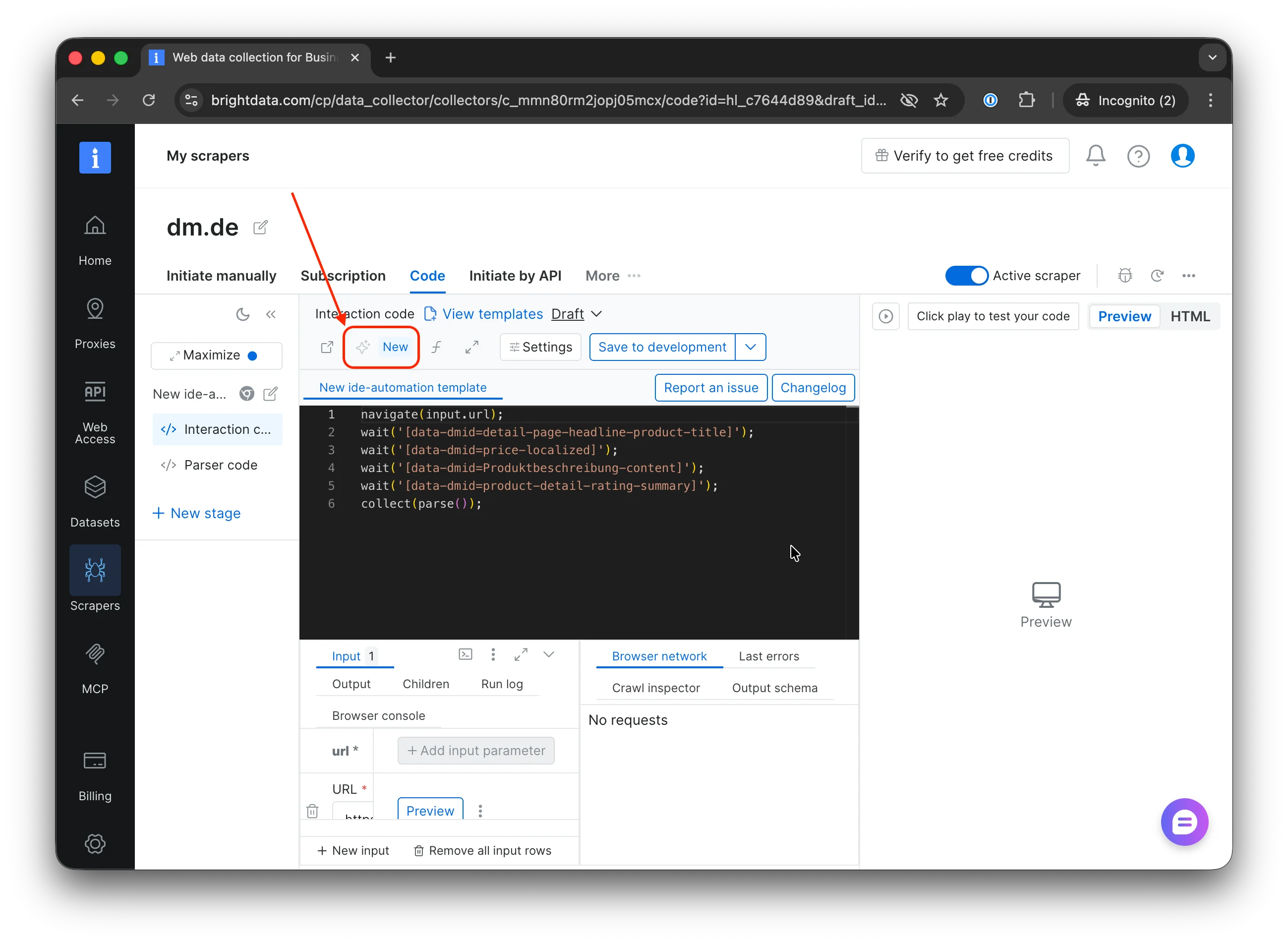 > **预期结果:** 出现一个文本输入框,可以接受您的指令。
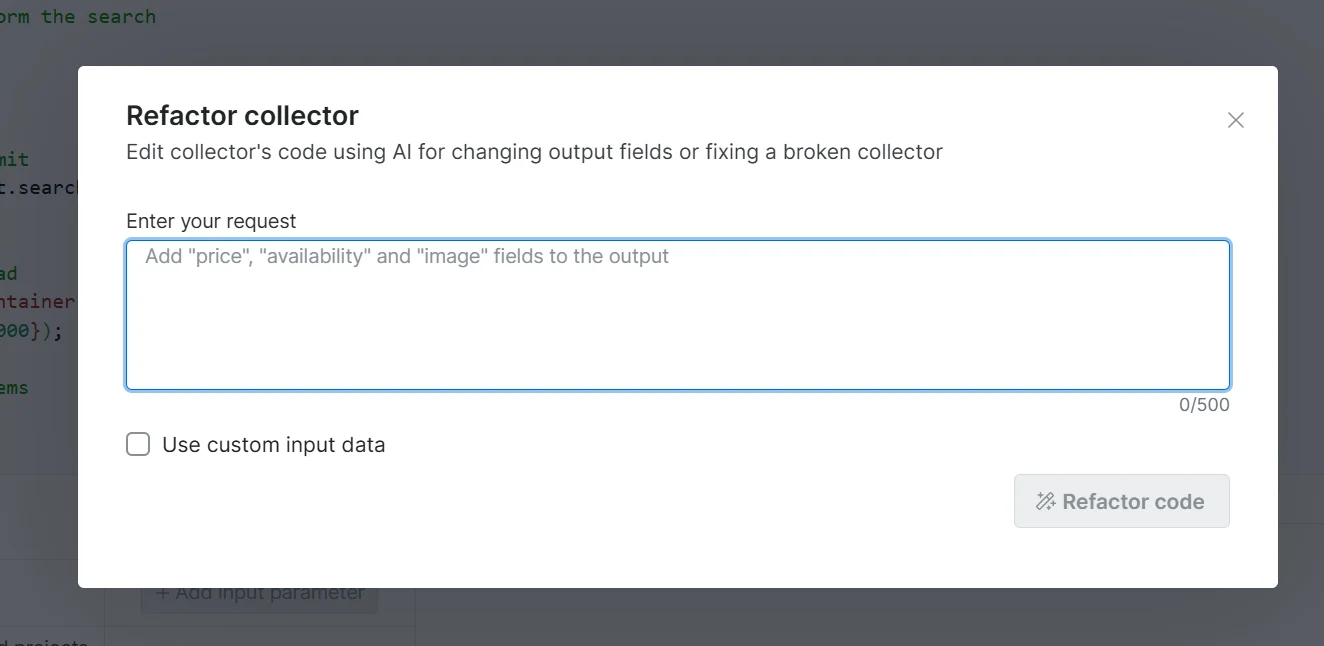 用自然语言输入您的请求。请明确指出哪里失效了、涉及哪些字段。
```txt 示例提示词 theme={null}
向输出中新增 'price' 和 'image' 字段
'price' 值返回 'undefined',请修复
'price' 字段从 HTML 中取到的数据不正确,改为使用 tag_response() 捕获 '/api/price'
```
> **预期结果:** AI 处理您的提示词,在编辑器中生成代码 diff。
重构最多可能耗时 15 分钟。您无需停留在页面上:Bright Data 会在 diff 准备就绪后发送邮件提醒,您可以稍后再来审查。
用自然语言输入您的请求。请明确指出哪里失效了、涉及哪些字段。
```txt 示例提示词 theme={null}
向输出中新增 'price' 和 'image' 字段
'price' 值返回 'undefined',请修复
'price' 字段从 HTML 中取到的数据不正确,改为使用 tag_response() 捕获 '/api/price'
```
> **预期结果:** AI 处理您的提示词,在编辑器中生成代码 diff。
重构最多可能耗时 15 分钟。您无需停留在页面上:Bright Data 会在 diff 准备就绪后发送邮件提醒,您可以稍后再来审查。
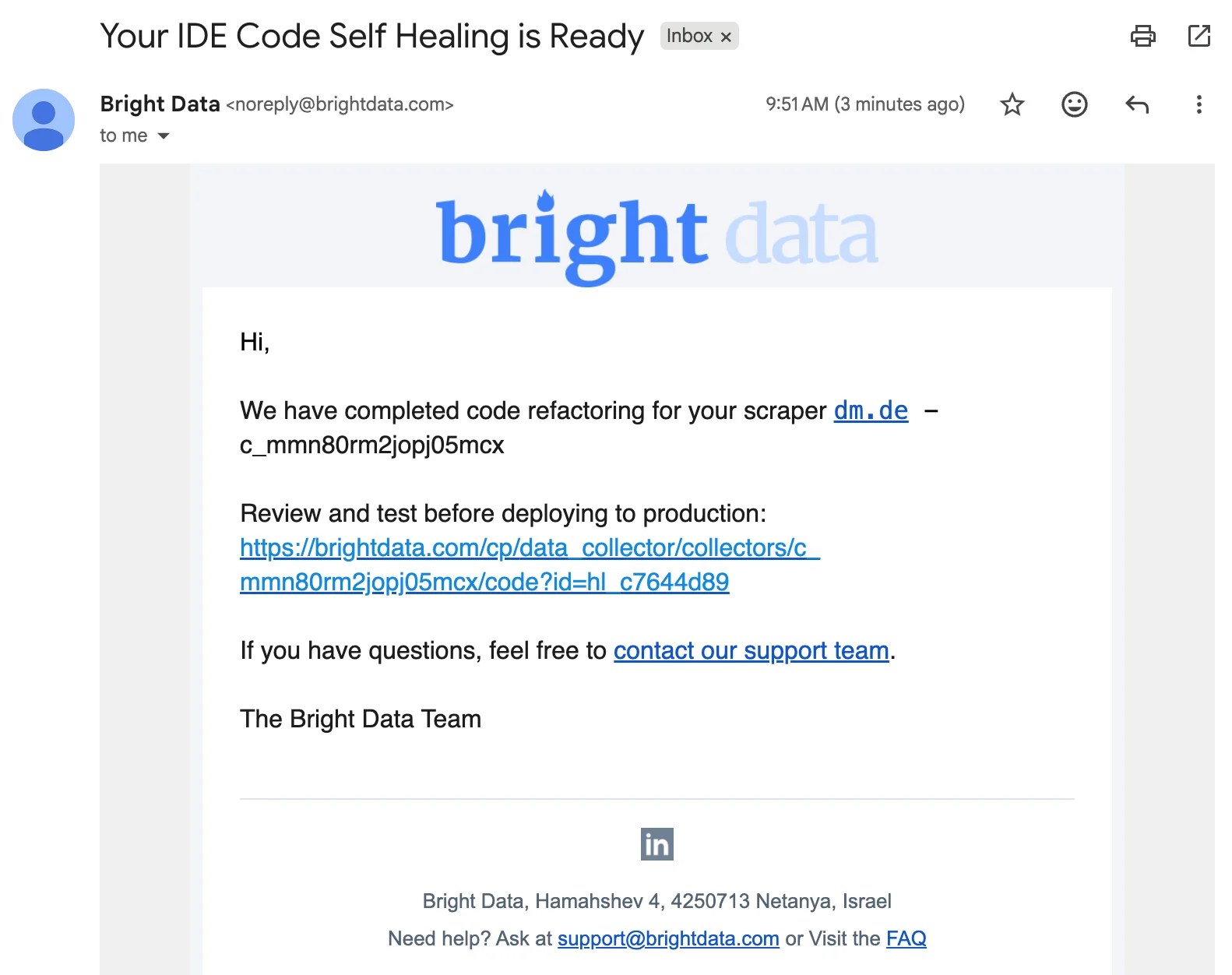 检查代码模板中 AI 生成的 diff。在接受之前确认它与您的意图一致。
* **Accept(接受):** 将更改保存到草稿
* **Decline(拒绝):** 丢弃建议,您的原始代码保持不变
> **预期结果:** 如果接受,编辑器会显示更新后的代码并保存到草稿。
接受后,运行一次预览以确认爬虫返回的是预期数据。
检查代码模板中 AI 生成的 diff。在接受之前确认它与您的意图一致。
* **Accept(接受):** 将更改保存到草稿
* **Decline(拒绝):** 丢弃建议,您的原始代码保持不变
> **预期结果:** 如果接受,编辑器会显示更新后的代码并保存到草稿。
接受后,运行一次预览以确认爬虫返回的是预期数据。
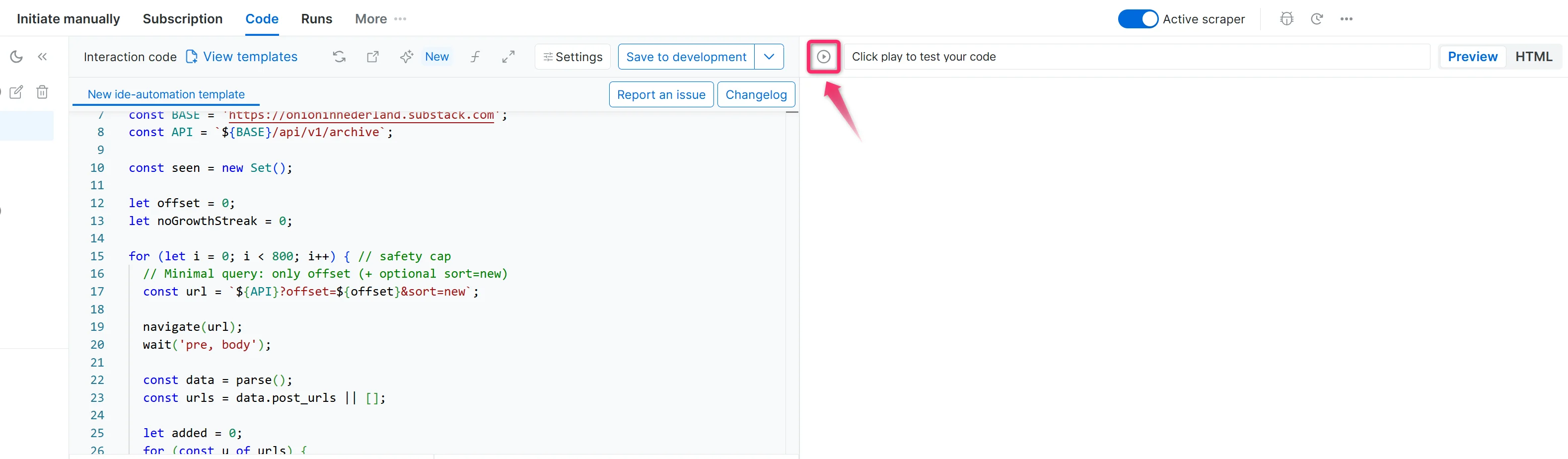 > **预期结果:** 输出文件中包含新增或修复的字段,值有效且不再是 undefined。
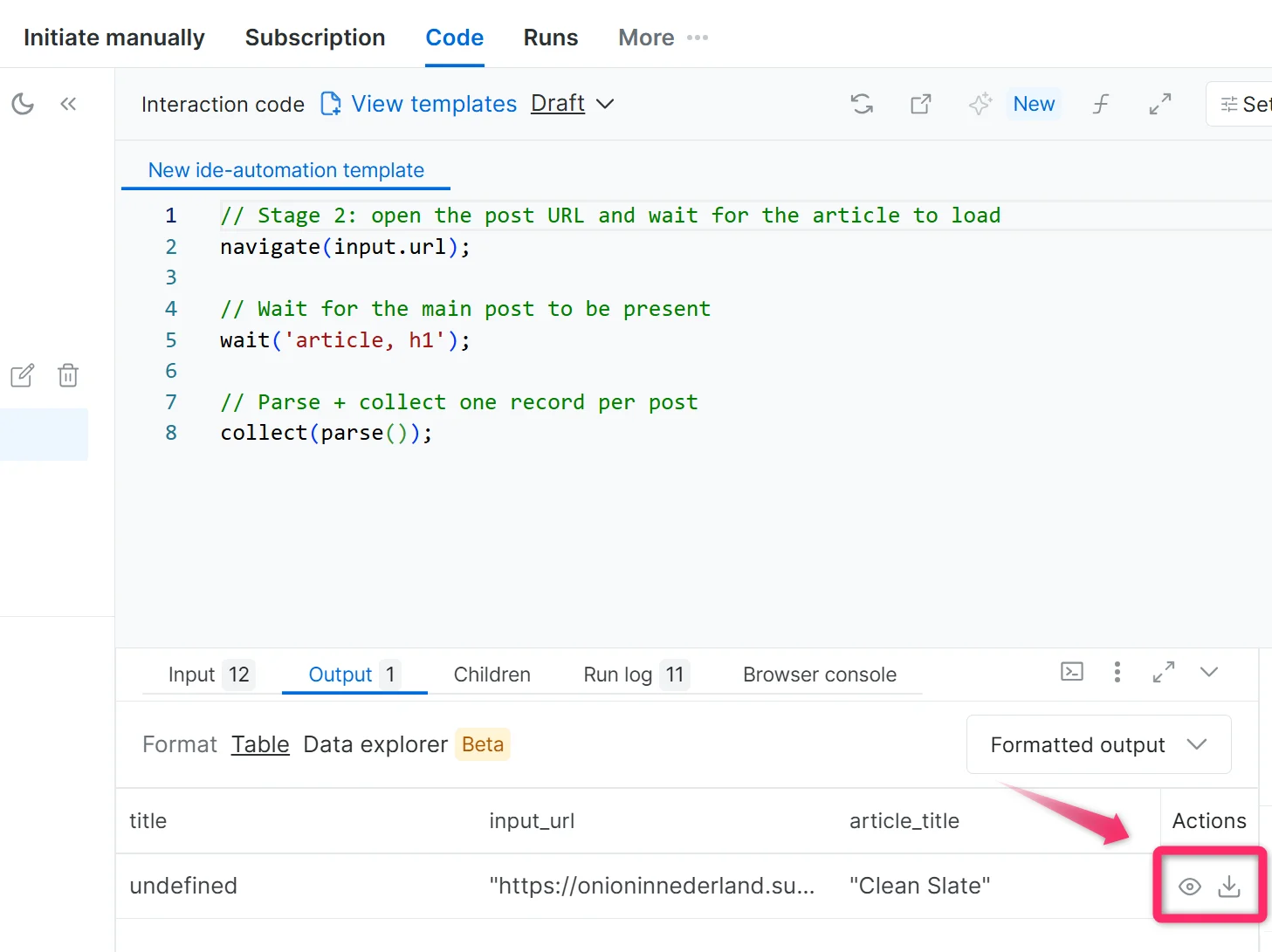 预览确认无误后,将爬虫保存到生产环境。
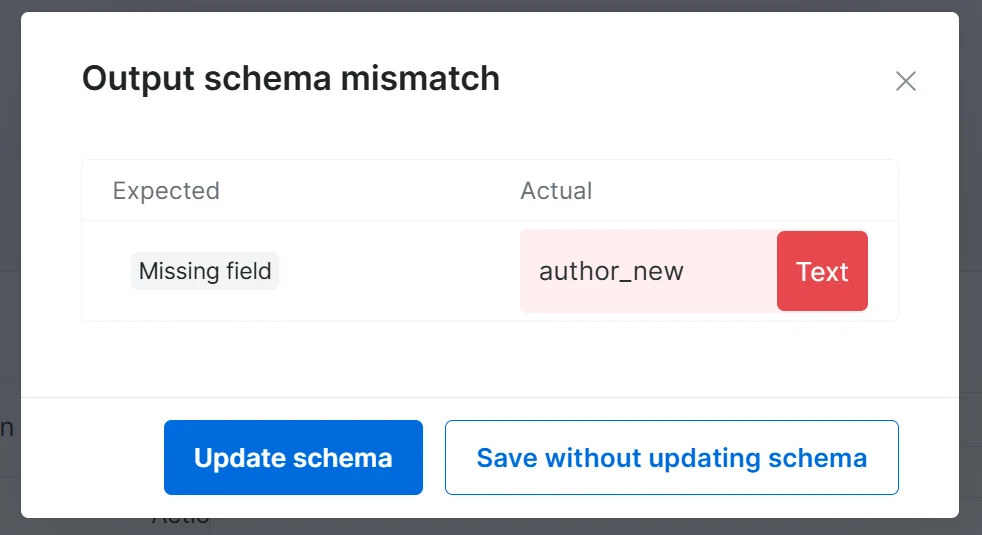
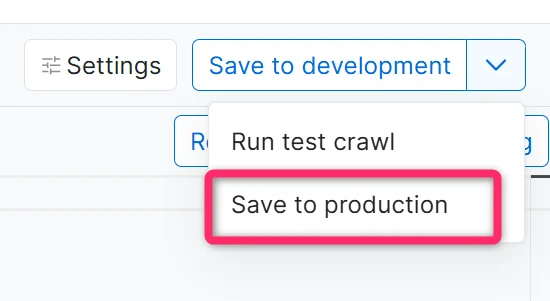 如果您添加或重命名了字段,Bright Data Scraper Studio 会提示更新输出 schema。点击 **Update Schema**(更新 schema),然后点击 **Save to Production**(保存到生产环境)。
 > **预期结果:** 重构后的爬虫已上线,以新配置开始采集数据。
## 故障排除
| 问题 | 可能原因 | 解决方法 |
| ------------------ | ------------- | ------------------------------ |
| AI 生成的代码未解决问题 | 提示词太模糊 | 用具体的字段名和错误信息示例重新提示 |
| 预览仍然返回 undefined 值 | 目标站点结构发生变化 | 检查实时页面,并在提示词中包含期望的 HTML 元素或选择器 |
| 接受后修改未生效 | 浏览器缓存问题 | 刷新 IDE 并重新检查开发模式草稿 |
| 重构运行超过 15 分钟 | 修改复杂或提示词信息量过大 | 将请求拆分为更小的提示词(每次一个字段) |
## 常见问题
适用。无论爬虫是由 AI Agent 创建、基于模板生成,还是在 IDE 中从零编写的,只要它在 Bright Data Scraper Studio 中以开发模式保存,自我修复工具都可使用。
可以。接受的更改首先进入草稿;只有在您点击 **Save to Production**(保存到生产环境)后才会影响生产。如果已保存到生产环境,可在爬虫仪表盘上的 **Versions**(版本)菜单中回滚到更早的版本。
自我修复工具可以增删字段,但在保存到生产环境之前您需要确认 schema 变更。当新输出与当前 schema 不再匹配时,Bright Data Scraper Studio 会通过 **Update Schema** 提示您。
## 相关内容
使用自然语言提示词构建新的爬虫
在 IDE 中直接构建并编辑爬虫
> **预期结果:** 重构后的爬虫已上线,以新配置开始采集数据。
## 故障排除
| 问题 | 可能原因 | 解决方法 |
| ------------------ | ------------- | ------------------------------ |
| AI 生成的代码未解决问题 | 提示词太模糊 | 用具体的字段名和错误信息示例重新提示 |
| 预览仍然返回 undefined 值 | 目标站点结构发生变化 | 检查实时页面,并在提示词中包含期望的 HTML 元素或选择器 |
| 接受后修改未生效 | 浏览器缓存问题 | 刷新 IDE 并重新检查开发模式草稿 |
| 重构运行超过 15 分钟 | 修改复杂或提示词信息量过大 | 将请求拆分为更小的提示词(每次一个字段) |
## 常见问题
适用。无论爬虫是由 AI Agent 创建、基于模板生成,还是在 IDE 中从零编写的,只要它在 Bright Data Scraper Studio 中以开发模式保存,自我修复工具都可使用。
可以。接受的更改首先进入草稿;只有在您点击 **Save to Production**(保存到生产环境)后才会影响生产。如果已保存到生产环境,可在爬虫仪表盘上的 **Versions**(版本)菜单中回滚到更早的版本。
自我修复工具可以增删字段,但在保存到生产环境之前您需要确认 schema 变更。当新输出与当前 schema 不再匹配时,Bright Data Scraper Studio 会通过 **Update Schema** 提示您。
## 相关内容
使用自然语言提示词构建新的爬虫
在 IDE 中直接构建并编辑爬虫