> ## Documentation Index
> Fetch the complete documentation index at: https://docs.brightdata.com/llms.txt
> Use this file to discover all available pages before exploring further.
# 监测使用量
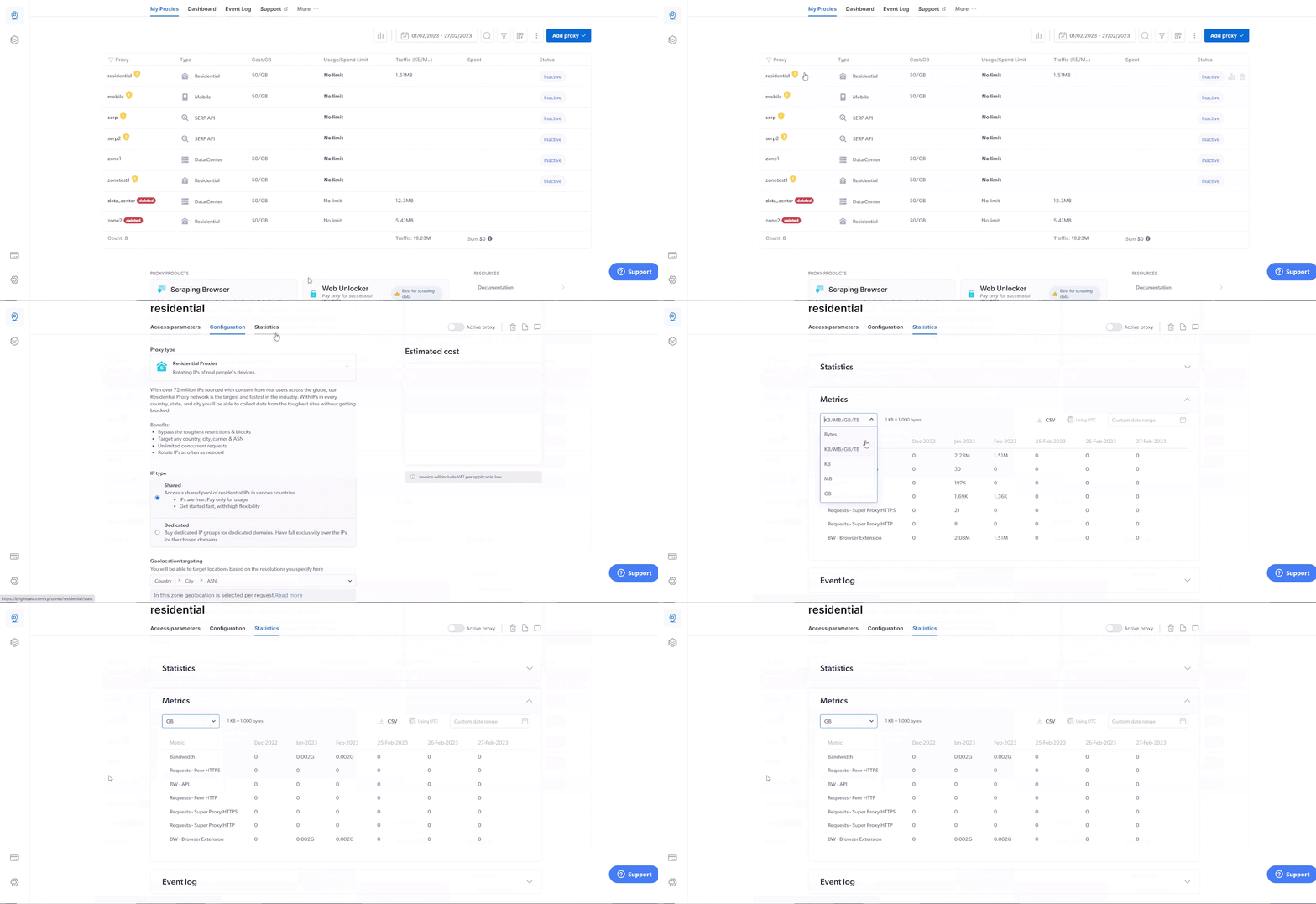
要查看您当前的带宽消耗情况,只需转到您的住宅区域,点击顶部菜单中的“统计信息”,然后在“度量单位”部分打开下拉菜单,并将度量单位设置为“GB”。
 ## 如何测量流量
您的住宅代理网络使用量是通过带宽消耗计算出来的。带宽是通过连接发送和下载的信息量。 您使用代理发送的每个请求都会消耗一定的带宽。 您的账单是根据使用的带宽量按美元计算的。
[请参阅我们的账单和定价页面,了解更多信息](/cn/general/account/billing-and-pricing)
## 如何测量流量
您的住宅代理网络使用量是通过带宽消耗计算出来的。带宽是通过连接发送和下载的信息量。 您使用代理发送的每个请求都会消耗一定的带宽。 您的账单是根据使用的带宽量按美元计算的。
[请参阅我们的账单和定价页面,了解更多信息](/cn/general/account/billing-and-pricing)