> ## Documentation Index
> Fetch the complete documentation index at: https://docs.brightdata.com/llms.txt
> Use this file to discover all available pages before exploring further.
# Data validation for Partners
> How Bright Data's data staging and validation process works across 250+ domains for partners: error handling, approval workflows and quality checks.
## Overview
We are introducing a new data staging process, enabling both developers and owners to verify and approve datasets before delivery.
The system will facilitate error handling, validation checks, and customization, ensuring accuracy and reliability.
It will help everyone save time, reduce the number of open tickets, and keep the needed level of quality to maintain the level of quality we want.
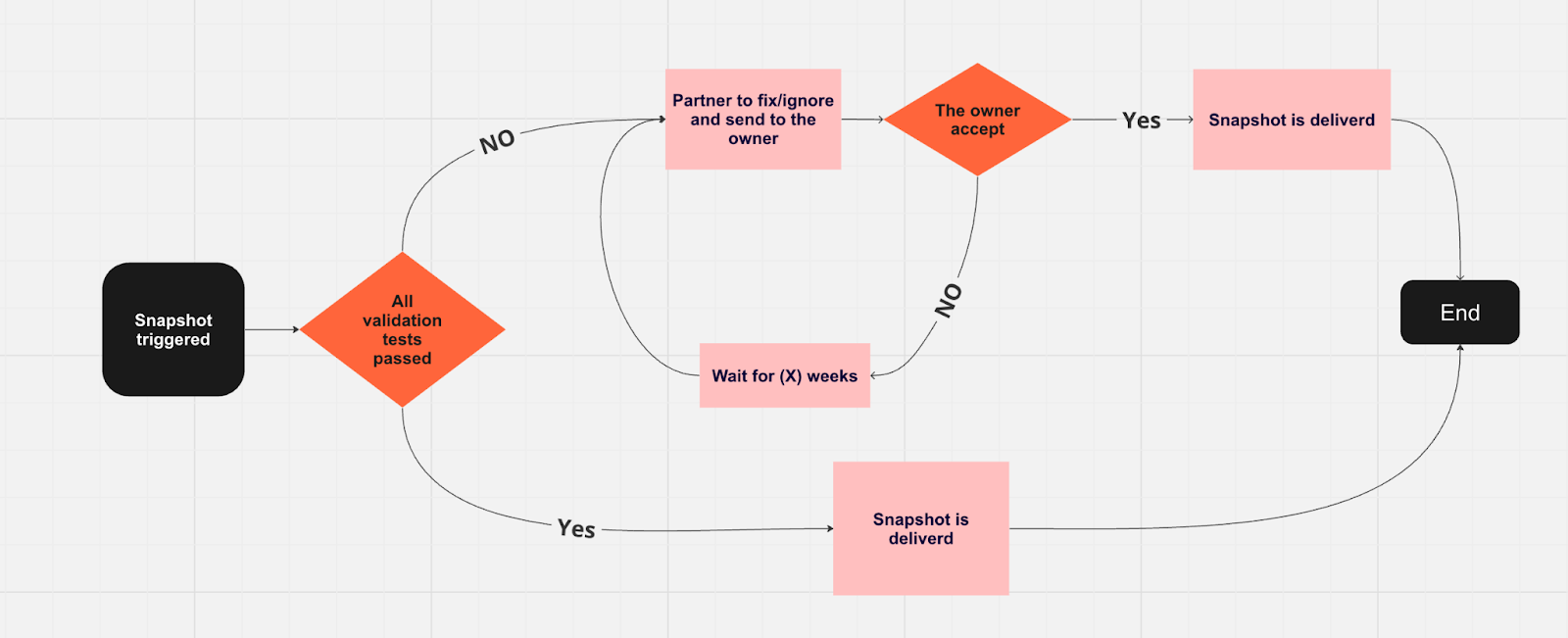 ## How does it work?
Once the dataset snapshot is ready, we run its validation tests.
The customer will get the dataset snapshot with an indication on the CP that all test was passed.
The partner will review the issues and will choose:
1. To fix the failed tests
2. To deliver the snapshot as it is to the customer (**with an explanation of why this test failed but still override**).
The customer can then decide (per fail test or as a batch):
1. If he is willing to accept it as it is
2. Accept it as it is only for this specific snapshot
3. Reject it and return it to the partner to fix what needs to be fixed
Once the customer approves, the snapshot goes to the delivery phase.
## The validation tests
Ensures a minimum percentage of unique values in the dataset.
Mandates a minimum percentage for filled values.
Makes a field mandatory once filled; triggers an error if left empty afterward.
The value number must not change by more than X amount compared to previous values.
Checks each entry's data type against its field type (e.g., string, number, date) to ensure integrity and flag mismatches for correction before processing.
Establish a custom rule to validate if the specific field exists and the field value is valid, such as requiring the size string to be 'S', 'M', or 'L'; any other value is considered an error.
Requires a minimum of X records for the initial dataset (in specific URL should per the minimum of X records from the total URL inputs)
Validates fluctuations within a +/- X% range.
## **Main components and functionality**
## How does it work?
Once the dataset snapshot is ready, we run its validation tests.
The customer will get the dataset snapshot with an indication on the CP that all test was passed.
The partner will review the issues and will choose:
1. To fix the failed tests
2. To deliver the snapshot as it is to the customer (**with an explanation of why this test failed but still override**).
The customer can then decide (per fail test or as a batch):
1. If he is willing to accept it as it is
2. Accept it as it is only for this specific snapshot
3. Reject it and return it to the partner to fix what needs to be fixed
Once the customer approves, the snapshot goes to the delivery phase.
## The validation tests
Ensures a minimum percentage of unique values in the dataset.
Mandates a minimum percentage for filled values.
Makes a field mandatory once filled; triggers an error if left empty afterward.
The value number must not change by more than X amount compared to previous values.
Checks each entry's data type against its field type (e.g., string, number, date) to ensure integrity and flag mismatches for correction before processing.
Establish a custom rule to validate if the specific field exists and the field value is valid, such as requiring the size string to be 'S', 'M', or 'L'; any other value is considered an error.
Requires a minimum of X records for the initial dataset (in specific URL should per the minimum of X records from the total URL inputs)
Validates fluctuations within a +/- X% range.
## **Main components and functionality**
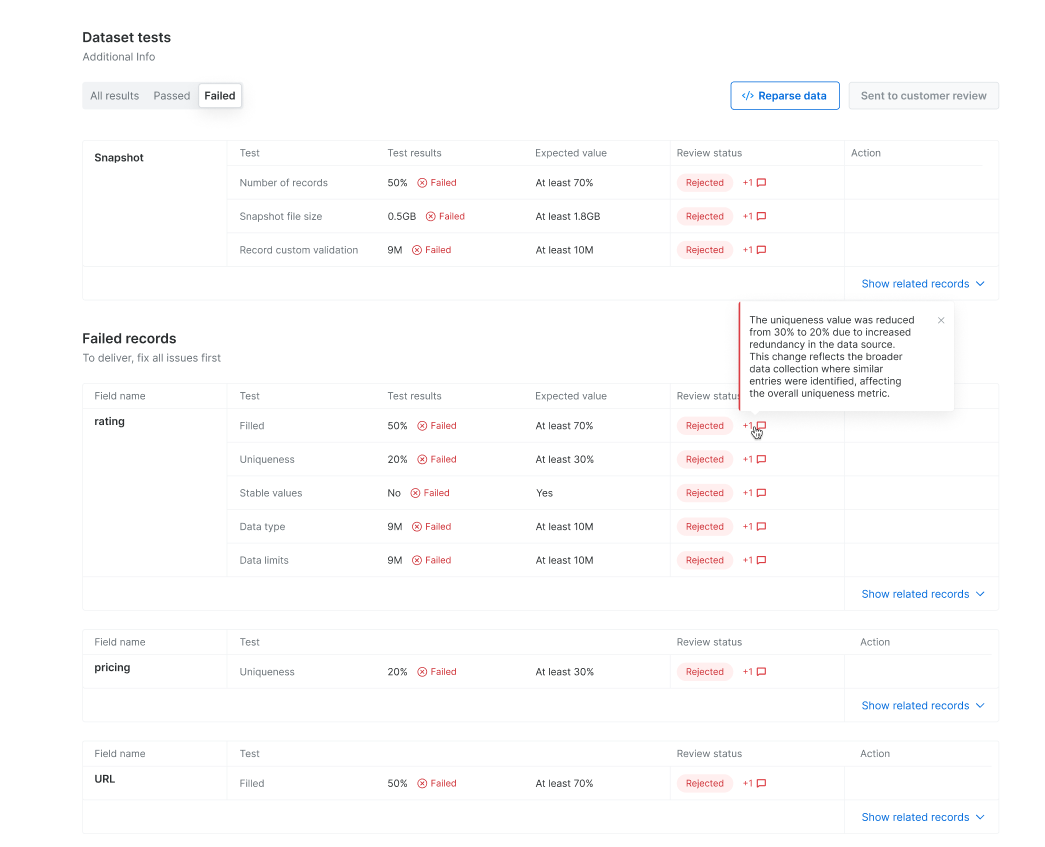
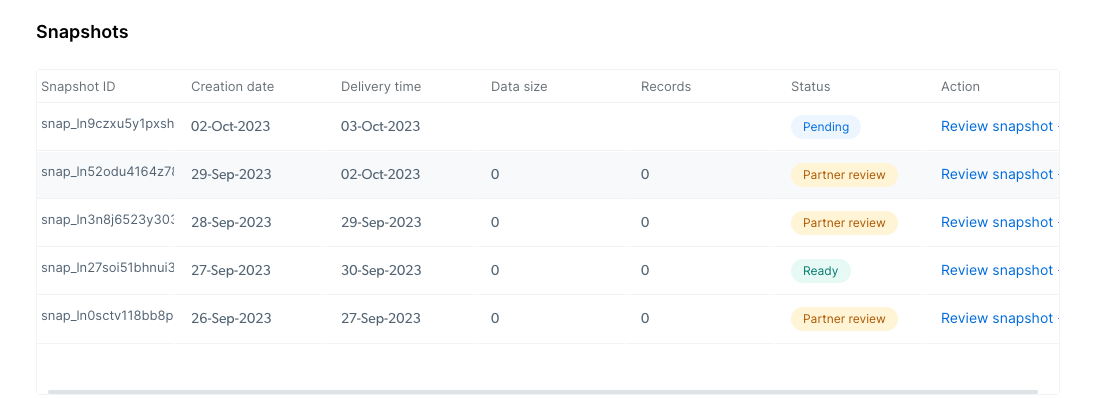 There are three filter options (All results, Passed, Failed) for dataset test view
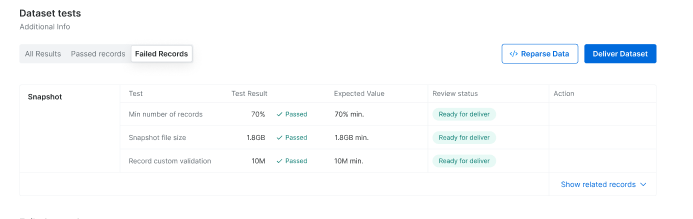
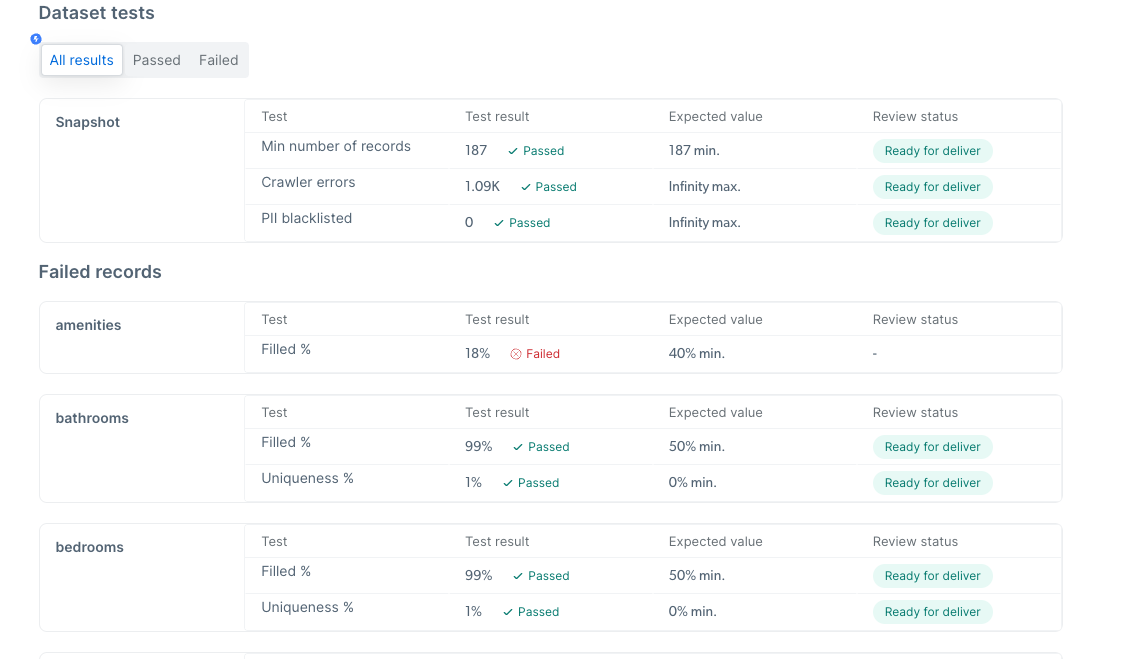 This will allow you to reparse the cached data
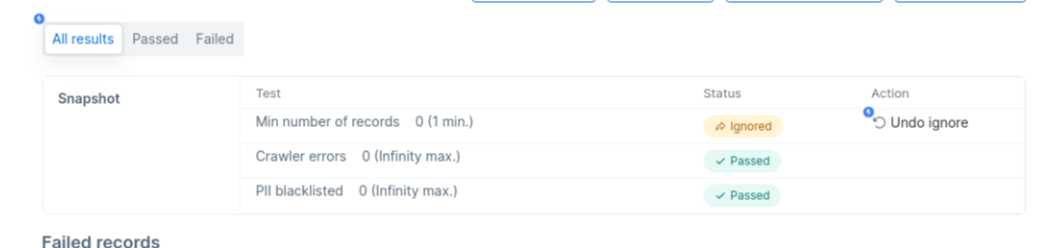
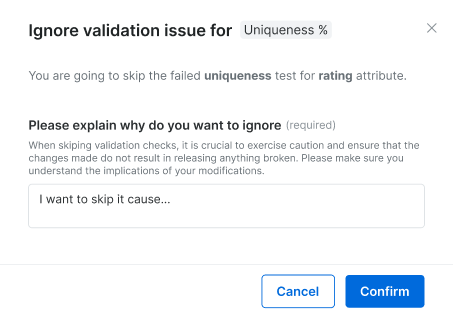
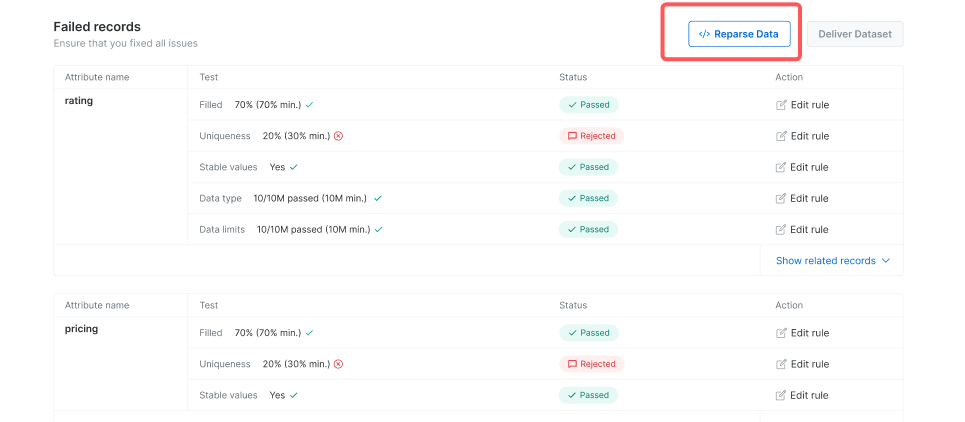 An option to override a test because the data seems healthy/or it makes sense that the specific dataset does not meet the threshold (note! In case of an override, you will need to write an explanation to the customer)
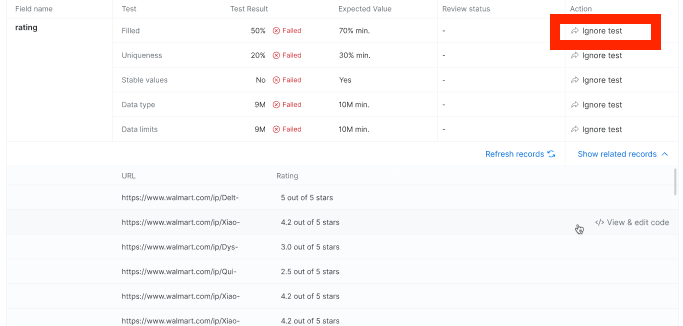
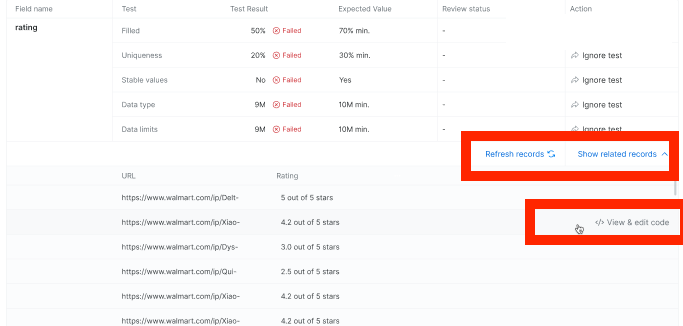
 In case the test failed, click on the “show related records” to see example of the records and then on “View\&Edit code” to get to the IDE and start fixing the issues
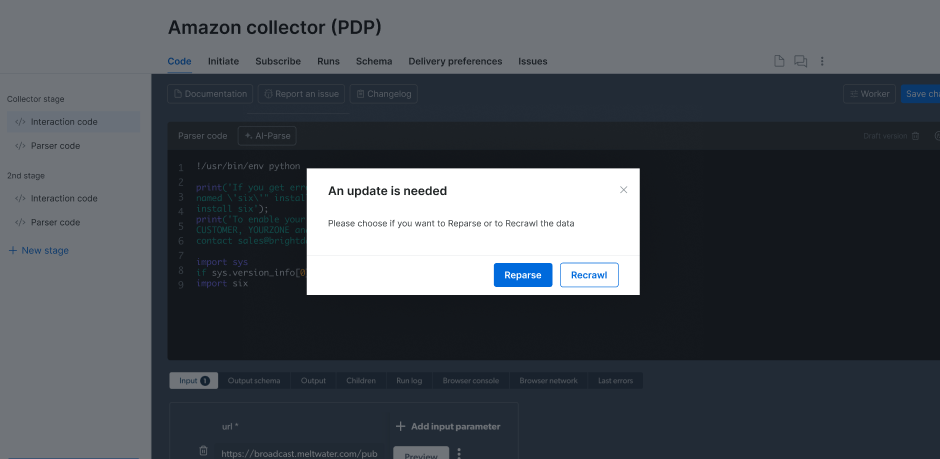
 Reparse:
Reparse involves reprocessing the existing raw data that has already been collected.
It applies the parsing logic, rules, or transformations to the data without fetching fresh data from the web.
Reparse is useful when changes are needed in data structure, new fields are added to parsing logic, or existing data needs to be restructured or re-extracted.
Recrawl:
Recrawl involves revisiting the source website to collect new or updated data.
It fetches fresh data directly from the source to reflect recent changes or additions on the website.
Recrawling is useful when the content on the source website changes frequently, or when up-to-date data is critical for analysis or reporting.
Once you finish working on the needed fix, you’ll be able to Reparse or recrawl according to your needs
Reparse:
Reparse involves reprocessing the existing raw data that has already been collected.
It applies the parsing logic, rules, or transformations to the data without fetching fresh data from the web.
Reparse is useful when changes are needed in data structure, new fields are added to parsing logic, or existing data needs to be restructured or re-extracted.
Recrawl:
Recrawl involves revisiting the source website to collect new or updated data.
It fetches fresh data directly from the source to reflect recent changes or additions on the website.
Recrawling is useful when the content on the source website changes frequently, or when up-to-date data is critical for analysis or reporting.
Once you finish working on the needed fix, you’ll be able to Reparse or recrawl according to your needs
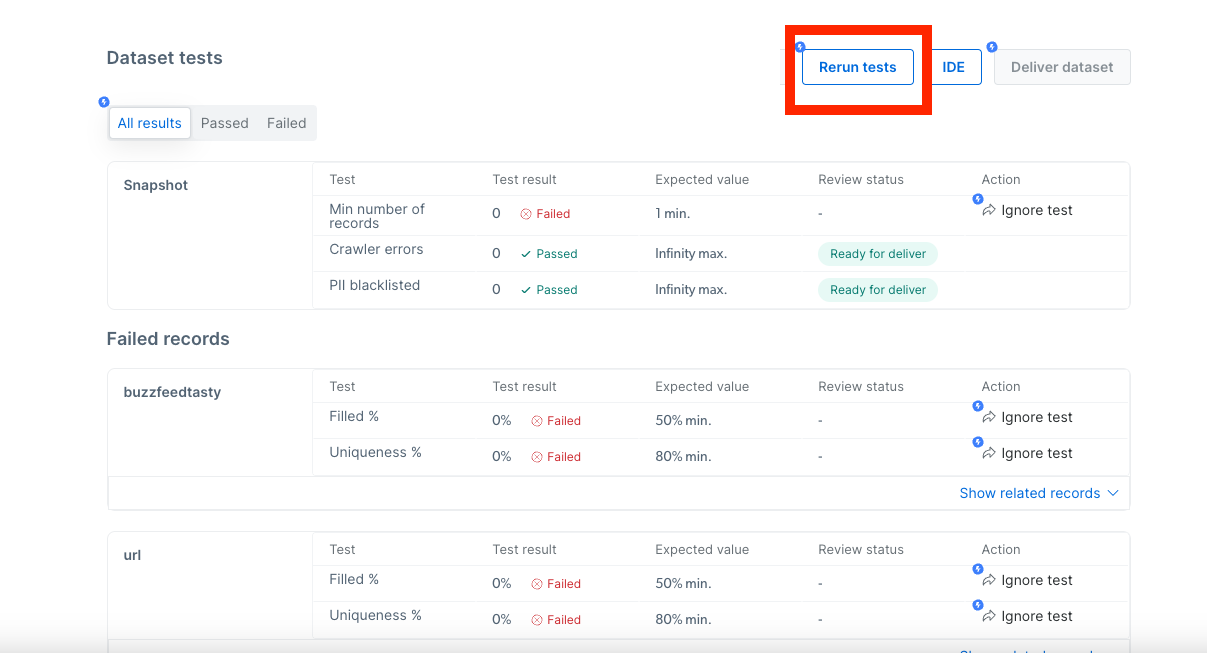
 This will allow you to run the validation tests again if needed
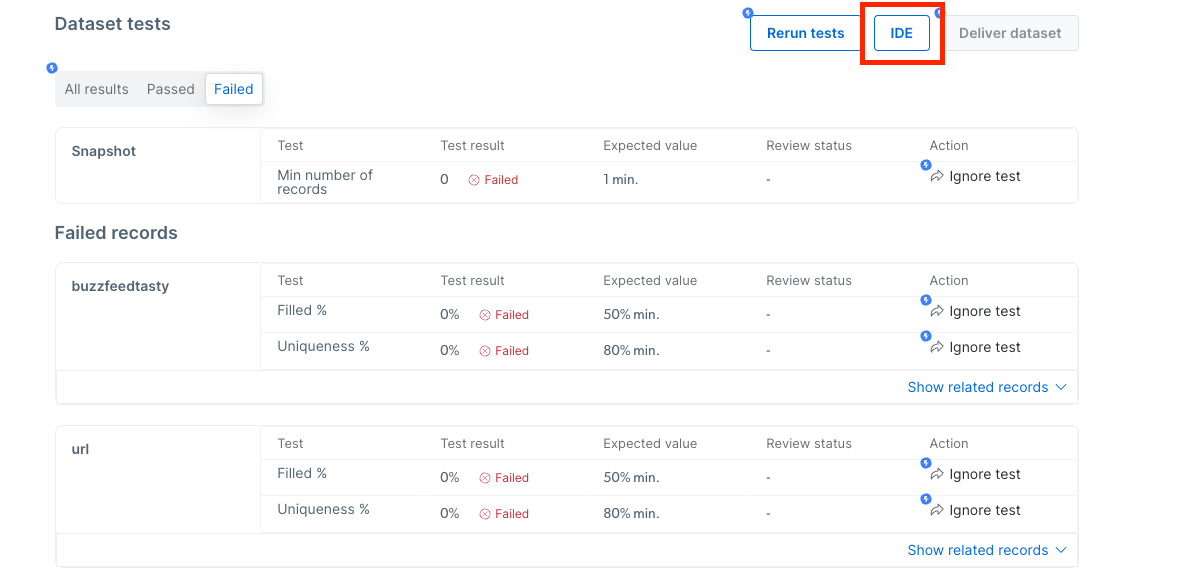
 This will allow you to redirect to the IDE in context in case you need to edit the collector and recrawl (e.g in case there are no records at all)
 After reviewing the needed data and fixing/ignoring issues, you should click on this button and send the snapshot to the owner for review. The ignored tests should be equipped with a reasoning to explain why you chose to ignore the test
 In case not all rejected test was accepted by the owner, the issues will be sent back to you and will be marked with the “Rejected” label for additional fixes and re-sending to the owner for approval
 ## Communications and notifications
Status changes and additional notifications will be presented to you as a megaphone on the CP.
## Tickets and bugs
Now, once we introduce the staging process, fixing a collector is not the end of the bug/issue
The process consists of two steps:
1. Fix the collector
2. Fix the snapshot
Hence, the bug processing workflow will be amended to align with the new 2-step process.
Tickets related to validation issues should not be allowed to be marked as “resolved” before the snapshot is delivered to the dataset owner!
## Changes to the flow:
We are removing the “Resolve” button from the option on the ticket
## Communications and notifications
Status changes and additional notifications will be presented to you as a megaphone on the CP.
## Tickets and bugs
Now, once we introduce the staging process, fixing a collector is not the end of the bug/issue
The process consists of two steps:
1. Fix the collector
2. Fix the snapshot
Hence, the bug processing workflow will be amended to align with the new 2-step process.
Tickets related to validation issues should not be allowed to be marked as “resolved” before the snapshot is delivered to the dataset owner!
## Changes to the flow:
We are removing the “Resolve” button from the option on the ticket