> ## Documentation Index
> Fetch the complete documentation index at: https://docs.brightdata.com/llms.txt
> Use this file to discover all available pages before exploring further.
# Scraper Studio dashboard features
> Reference for the Bright Data Scraper Studio dashboard: scraper types, statuses, run statistics columns and how to download collected data.
The Bright Data Scraper Studio dashboard is where every scraper lives. Use it to inspect scraper properties, trigger runs, configure delivery, manage versions and review collection statistics. This page is a reference for every control you see on the **My Scrapers** page and the statistics drill-down.
## The Scrapers dashboard
Every scraper you use, whether generated by the AI Agent, built in the Bright Data Scraper Studio IDE, or built by Bright Data teams, appears under **My Scrapers** on the Scrapers dashboard.
The **My Scrapers** page lists every scraper type, not only Scraper Studio scrapers.
### Which scraper types appear on the dashboard?
The **My Scrapers** page lists three scraper types, distinguished by who builds and maintains each scraper.
| Type | Description |
| -------------------------- | ------------------------------------------------------------ |
| **Scraper API** | 700+ pre-built scrapers, built and maintained by Bright Data |
| **Scraper Studio** | Scrapers built and maintained by customers or AI |
| **Scraper Studio Managed** | Scrapers built and maintained by the Bright Data team |
### What does each scraper status mean?
Each scraper and run carries a status that shows where it is in the build and collection lifecycle.
| Status | Description |
| ------------ | ---------------------------------------------------------------------------------------- |
| **Ready** | The run has been completed |
| **Canceled** | The run was canceled by the customer or system |
| **Active** | The scraper is saved to production and ready to initiate, but has not been triggered yet |
| **Draft** | The scraper is still being built and is not yet saved to production |
| **Running** | The collection is running |
To open a specific scraper's dashboard, click the scraper.
## What does the collection statistics page show?
The statistics page shows per-collection metrics for every run of a scraper.
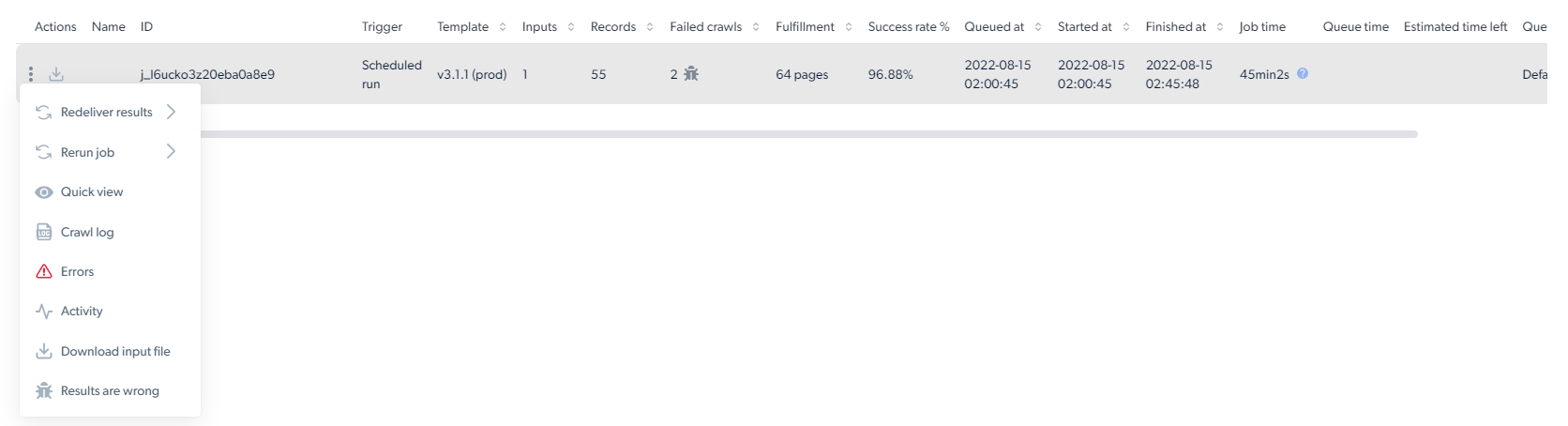
 | Column | Description |
| ----------------------- | -------------------------------------------------------------------------------------------------------------------- |
| **ID** | Unique identifier for the collection job |
| **Trigger** | Who triggered the job and how (API, UI, or schedule) |
| **Template** | Template version number |
| **Inputs** | Number of inputs submitted to the collection |
| **Records** | Number of records the scraper returned |
| **Failed crawls** | Number of pages that failed to crawl |
| **Fulfillment** | Total number of unique pages discovered during scraping, including pages that were found but not necessarily scraped |
| **Success rate** | Percentage of inputs that produced successful records |
| **Queued at** | Timestamp when the job entered the queue |
| **Started at** | Timestamp when the scraper started collecting |
| **Finished at** | Timestamp when the scraper finished collecting |
| **Job time** | Total job duration |
| **Estimated time left** | Time remaining for an in-progress job |
| **Queue** | Name of the queue the job is running in (from the trigger's queue name) |
| **Page Loads** | Total page loads consumed by the job |
| **Spent** | Total amount spent for this job |
The three-dots menu on each job row exposes download input file, re-deliver, debug and report actions.
| Column | Description |
| ----------------------- | -------------------------------------------------------------------------------------------------------------------- |
| **ID** | Unique identifier for the collection job |
| **Trigger** | Who triggered the job and how (API, UI, or schedule) |
| **Template** | Template version number |
| **Inputs** | Number of inputs submitted to the collection |
| **Records** | Number of records the scraper returned |
| **Failed crawls** | Number of pages that failed to crawl |
| **Fulfillment** | Total number of unique pages discovered during scraping, including pages that were found but not necessarily scraped |
| **Success rate** | Percentage of inputs that produced successful records |
| **Queued at** | Timestamp when the job entered the queue |
| **Started at** | Timestamp when the scraper started collecting |
| **Finished at** | Timestamp when the scraper finished collecting |
| **Job time** | Total job duration |
| **Estimated time left** | Time remaining for an in-progress job |
| **Queue** | Name of the queue the job is running in (from the trigger's queue name) |
| **Page Loads** | Total page loads consumed by the job |
| **Spent** | Total amount spent for this job |
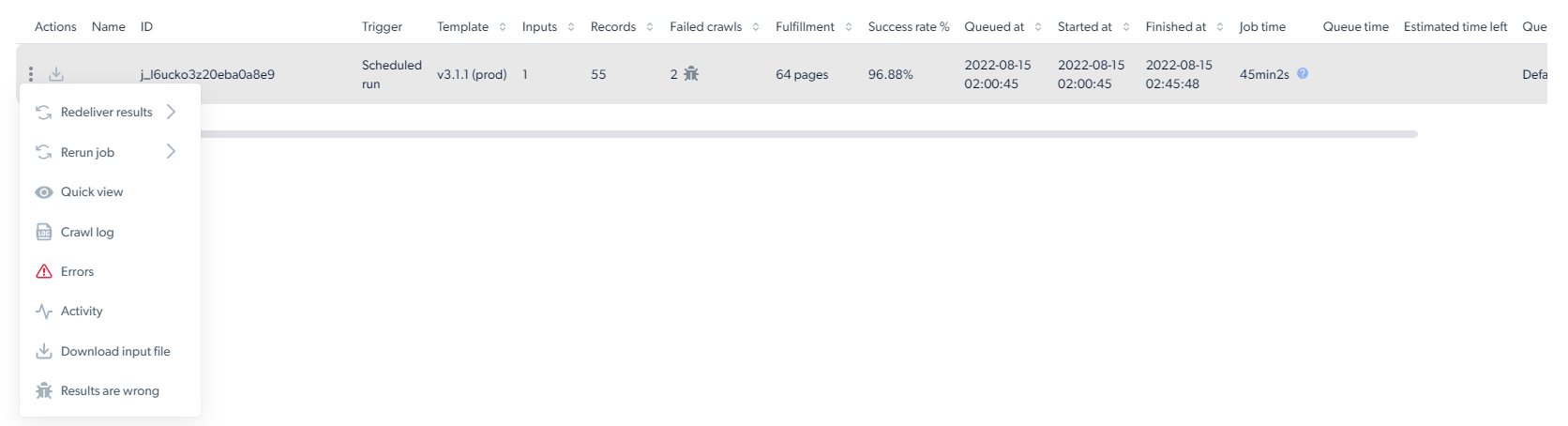
The three-dots menu on each job row exposes download input file, re-deliver, debug and report actions.
 ## How do I download the data from the dashboard?
Click the **Download file options** button, select a file format, and the download starts immediately.
Real-time job outputs are stored on Bright Data's side but cannot be downloaded from the dashboard. To retrieve them, use the Scraper Studio API or send them to one of the delivery destinations configured in your delivery options.
## How do I trigger a scraper and get results?
To trigger a scraper, use the three initiation options documented on [Initiate collection and delivery](/datasets/scraper-studio/initiate-collection-and-delivery-options):
* [Initiate by API](/datasets/scraper-studio/initiate-collection-and-delivery-options#how-do-i-trigger-a-scraper-run)
* [Initiate manually](/datasets/scraper-studio/initiate-collection-and-delivery-options#how-do-i-trigger-a-scraper-run)
* [Schedule a scraper](/datasets/scraper-studio/initiate-collection-and-delivery-options#how-do-i-trigger-a-scraper-run)
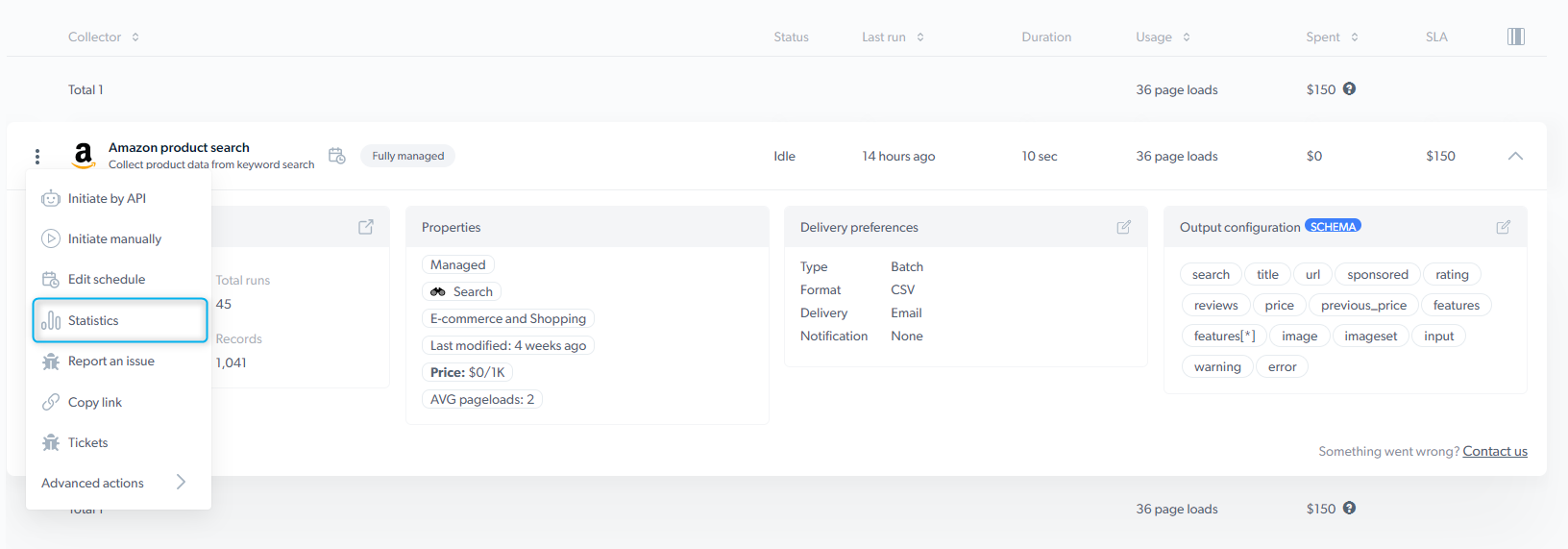
To retrieve results, click the three-dots icon on a scraper row and select **Statistics** to open the collection statistics page, where you can download the data.
## Related
Configure trigger methods, file formats and delivery destinations
Reference for every panel and control in the IDE
## How do I download the data from the dashboard?
Click the **Download file options** button, select a file format, and the download starts immediately.
Real-time job outputs are stored on Bright Data's side but cannot be downloaded from the dashboard. To retrieve them, use the Scraper Studio API or send them to one of the delivery destinations configured in your delivery options.
## How do I trigger a scraper and get results?
To trigger a scraper, use the three initiation options documented on [Initiate collection and delivery](/datasets/scraper-studio/initiate-collection-and-delivery-options):
* [Initiate by API](/datasets/scraper-studio/initiate-collection-and-delivery-options#how-do-i-trigger-a-scraper-run)
* [Initiate manually](/datasets/scraper-studio/initiate-collection-and-delivery-options#how-do-i-trigger-a-scraper-run)
* [Schedule a scraper](/datasets/scraper-studio/initiate-collection-and-delivery-options#how-do-i-trigger-a-scraper-run)
To retrieve results, click the three-dots icon on a scraper row and select **Statistics** to open the collection statistics page, where you can download the data.
## Related
Configure trigger methods, file formats and delivery destinations
Reference for every panel and control in the IDE