

Scraper Studio
Build a custom scraper for any website
No pre-built scraper for your target site? Describe the data you want and build one on Bright Data’s proxy and unblocking infrastructure. No servers, proxy rotation or retry logic to manage.
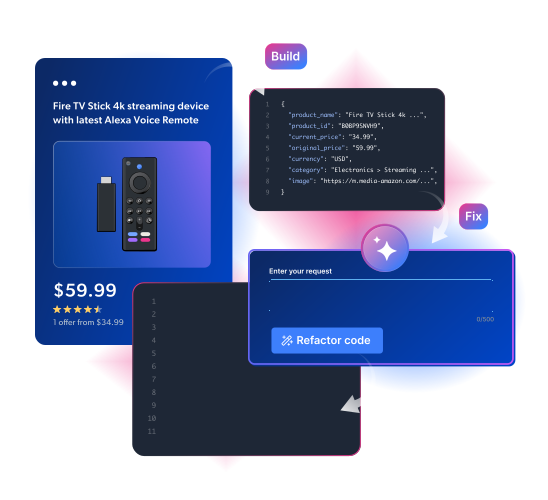
Prefer no code? Describe your target in plain language and let the AI Agent generate the scraper from your dashboard.
Create a scraper from your terminal
Install the Bright Data CLI, log in, then pass a target URL and one sentence describing the data you want. Bright Data’s AI Agent generates the output schema, writes the scraper code and returns a Collector ID.Which way to build
AI Agent
Describe the data in plain language. Bright Data AI generates the schema and writes the scraper code. No-code, fastest to a working scraper.
IDE
Write and debug JavaScript in a browser-based editor. Full control over interaction and parsing logic.
Bright Data CLI
Create, run and self-heal scrapers from your terminal or any coding agent. New.
How it works
Every Bright Data Scraper Studio scraper performs two core operations, then keeps itself running as the target site changes.Interaction
Navigate to a target URL, handle pagination, click elements or send HTTP requests.
Parsing
Read the page HTML and extract structured fields into a defined schema: JSON, CSV, NDJSON or XLSX.
Self-healing
When a site layout changes and a scraper breaks, update it with a plain-language prompt instead of rewriting selectors.
When to use Scraper Studio
Use Bright Data Scraper Studio when the data you need is not in the Scraper library, you want ownership of the scraper logic and you do not want to manage proxies or infrastructure yourself. For the full comparison and the AI Agent vs IDE trade-offs, see Understanding Scraper Studio.Pre-built scrapers
Need a popular site with zero setup? Use the pre-built scrapers in the Web Scraper API library instead.
Managed services
Want a scraper built and operated for you? Bright Data’s team builds custom scrapers for your targets. No code required.
Datasets marketplace
Skip scraping entirely. Buy ready-made datasets refreshed on a schedule. No code required.
What you can build
Niche site scraping
Extract structured data from any site without a pre-built scraper, from regional marketplaces to industry directories.
Price monitoring
Track prices, stock and listings on sites the standard scraper library does not cover.
AI and RAG ingestion
Turn target pages into clean JSON or NDJSON to feed model training and retrieval pipelines.
Lead generation
Pull contacts and company data from directories and listings into your sales pipeline.
Content aggregation
Collect articles, listings or reviews from many sources into one structured feed.
Market research
Aggregate competitor activity, catalog data and trends from sites that change often.