> ## Documentation Index
> Fetch the complete documentation index at: https://docs.brightdata.com/llms.txt
> Use this file to discover all available pages before exploring further.
# Billing
> Understand how Bright Data billing works in 4 areas: monthly commitments, pay-as-you-go funds and how usage limits apply to your account.
All of the prices posted on our website are the US Dollar prices
**A minimum monthly commitment** - Each plan requires you to commit to paying a minimum amount at the beginning of every month while your account is in “active” status. This minimum commitment will set the limits for your basic usage: once your usage goes over your minimum commitment amount, you will need to add additional funds to keep using Bright Data.
Learn more at our [pricing page](https://brightdata.com/pricing).
If your account was blocked, you will immediately receive an email explaining how to resolve the issue. Contact your dedicated account manager or Bright Data's compliance team at [compliance@brightdata.com](mailto:compliance@brightdata.com). To reinstate your blocked account, you will need to provide the following:
* A company registration form
* A photo of the flagged payment method
* Photo ID, driver's license, or passport
* A photo of the flagged payment method
When customers only use data-center IPs, we calculate their cost on a daily basis. We subtract this daily cost from the current balance in your account, showing the remaining balance available for use. Costs are calculated according to the IP types used (shared vs. dedicated), as well as bandwidth/GB used. We also calculate any additional costs for added features (like exclusive time or dedicated domain/host).\
You will be billed for the costs described above on the 1st of every month. The balance remaining in your account will reflect the amount available for future use.
Bright Data's billing cycle starts on the 1st of each month. This means that you will be billed for your monthly account commitment automatically at the 1st of every month as long as your account status is active.
If you join Bright Data in the middle of the month, your first minimum account commitment payment will be charged on the day you join and usage will retroactively apply only to the days in which your account was active during the month.
**Example**: You join the Bright Data Residential Network on the June 25th, your price plan has a \$500 minimum monthly commitment and you make your first payment of \$500.
What will happen on July 1st?
* Bright Data will see your account was active for only 6 days during June which are 20% of the month, so the relative part of the minimum monthly commitment will be \$100. Unless the cost of your usage was higher than that, \$100 will be your cost for June.
* We will send you an invoice and take \$100 from your balance against June cost, leaving your balance with \$400.
* Since on the 1st of every month your balance needs to comply with your minimum monthly commitment, we will now charge your credit card for \$100 in order to top it back to \$500 to comply with your minimum monthly commitment for July.
Yes. You will receive an invoice by the third Israeli business day of the month. The invoice will provide details of your previous month's usage. It will breakdown how your usage related to your minimum account commitment (and if applicable, any additional funds that were added during the course of the month).
All billing calculations are made according to our dashboard timezone which is UTC+0. How this can effect your billing? You have the option to enable and disable your Zones. The time of enabling/disabling will be in UTC time therefore the daily charges will be applied accordingly.
### Proxy services billing
Proxy services are either prepaid per amount of proxies (IP addresses) or per usage.
| Network type | Proxy type | Payment type | Notes |
| --------------------- | ------------------------- | ------------------------------- | --------------------------------------------------------------------- |
| Datacenter | Shared pool | per GB | No usage: no payment. |
| Datacenter | Shared unlimited | Prepaid per IP | Resumes monthly by default |
| Datacenter | Dedicated unlimited | Prepaid per IP | Resumes monthly by default |
| ISP | Shared pool | per GB | No usage: no payment. |
| ISP | Shared unlimited | Prepaid per IP | Resumes monthly by default |
| ISP | Dedicated unlimited | Prepaid per IP | Resumes monthly by default |
| Residential shared | All: IPv4,IPv4+IPv6, IPv6 | per GB | No usage, no payment |
| Residential dedicated | Dedicated `gIP`s | Fixed charge per `gIP` + per GB | `gIP` charges resume monthly by default, charged on the 1st, prorated |
### Non proxy services
During time periods where you are not using Bright Data, you can turn off your Zones. Billing for service will only apply for the relative part of the month when the service was active. All billing calculations are made according to our dashboard timezone which is UTC+0. How this can effect your billing? You have the option to enable and disable your Zones. The time of enabling/disabling will be in UTC time therefore the daily charges will be applied accordingly.
In case you process a credit card chargeback or bank dispute and the reason is unjustified, Bright Data will charge a handling fee of \$150 per charge.
An account is blocked due to billing issues for one of the following reasons:
* A discrepancy between payment method and personal details
* The user has logged in from a country that differs from where the credit card is from
* Too many attempts to process a declined payment
* Failure to authenticate a credit card payment using 3D secure
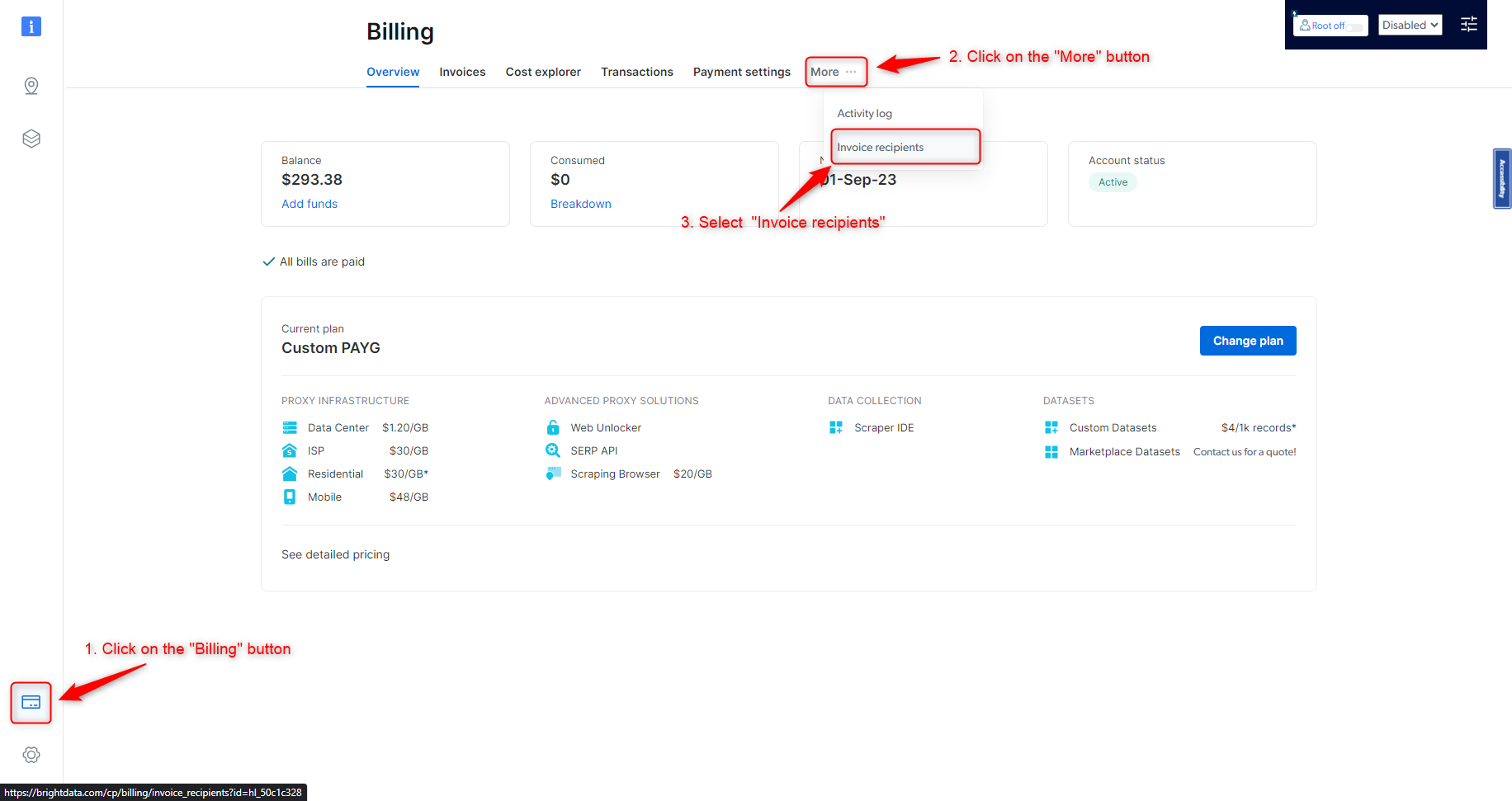
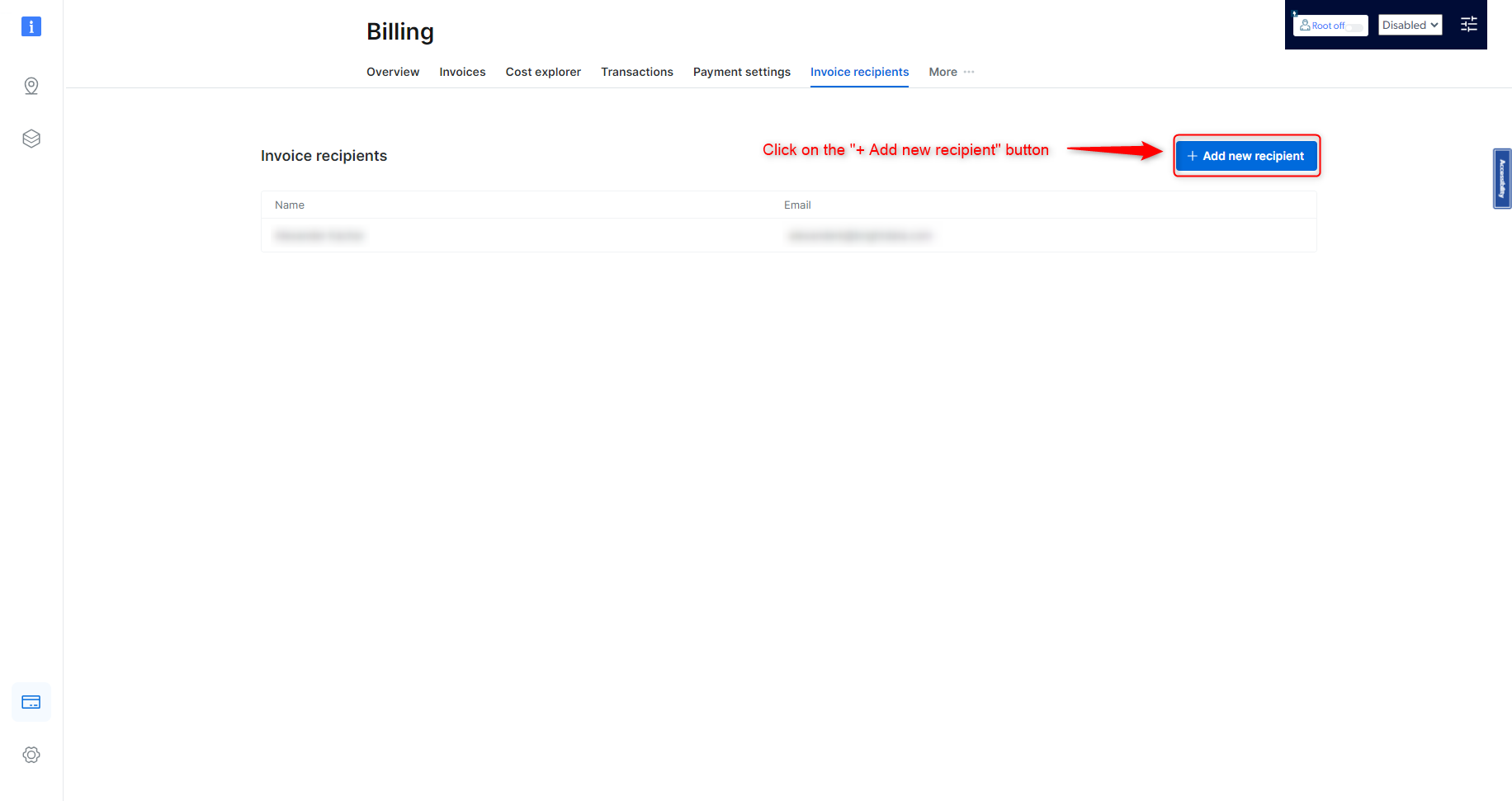
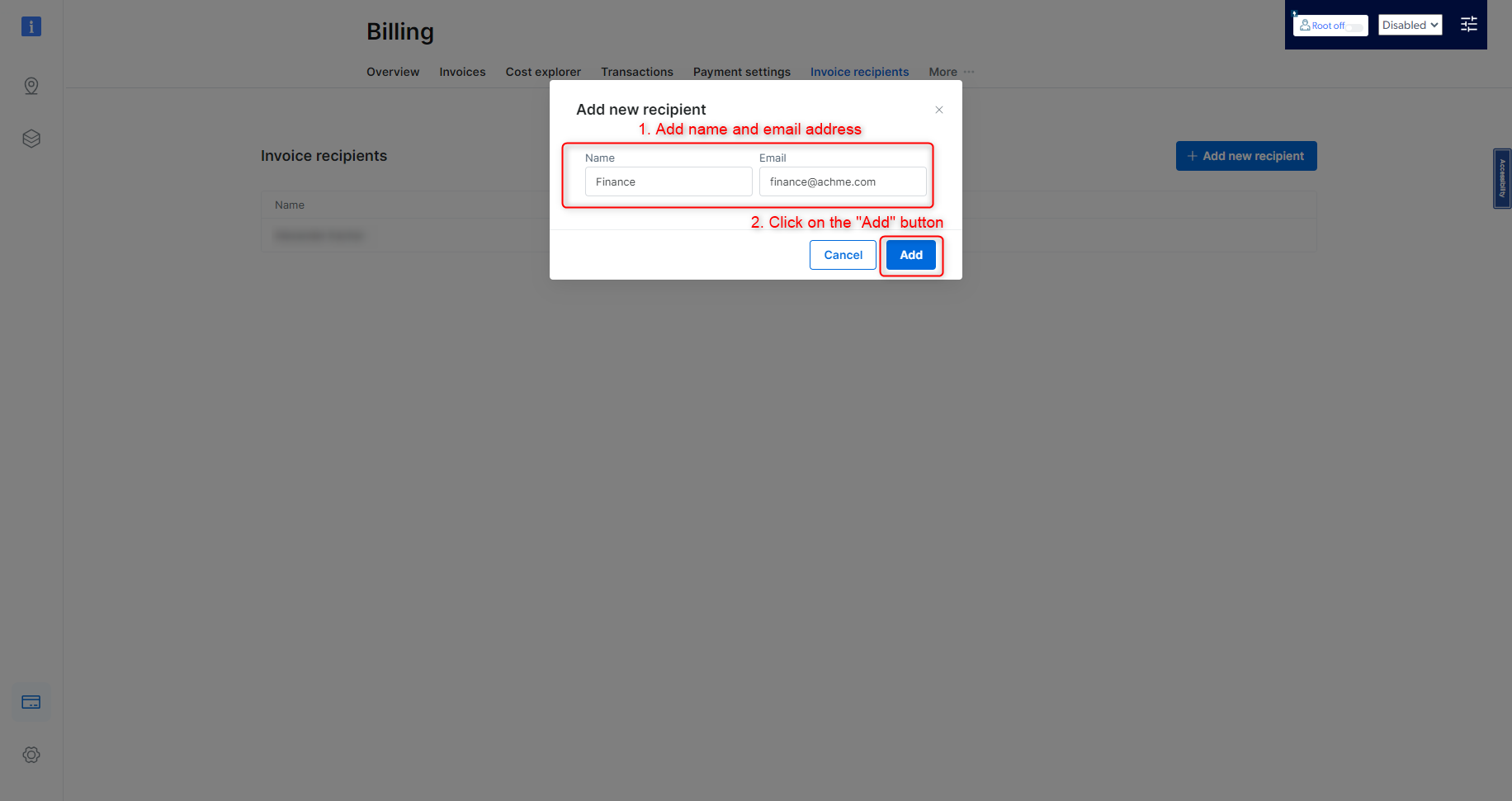
To add an email address to invoice recipients list, please follow the below guide
 If you have remaining funds in your balance during a month in which you were inactive, you will not lose your balance, but will be charged to bring that balance up to the minimum monthly commitment on the 1st day of the next month.
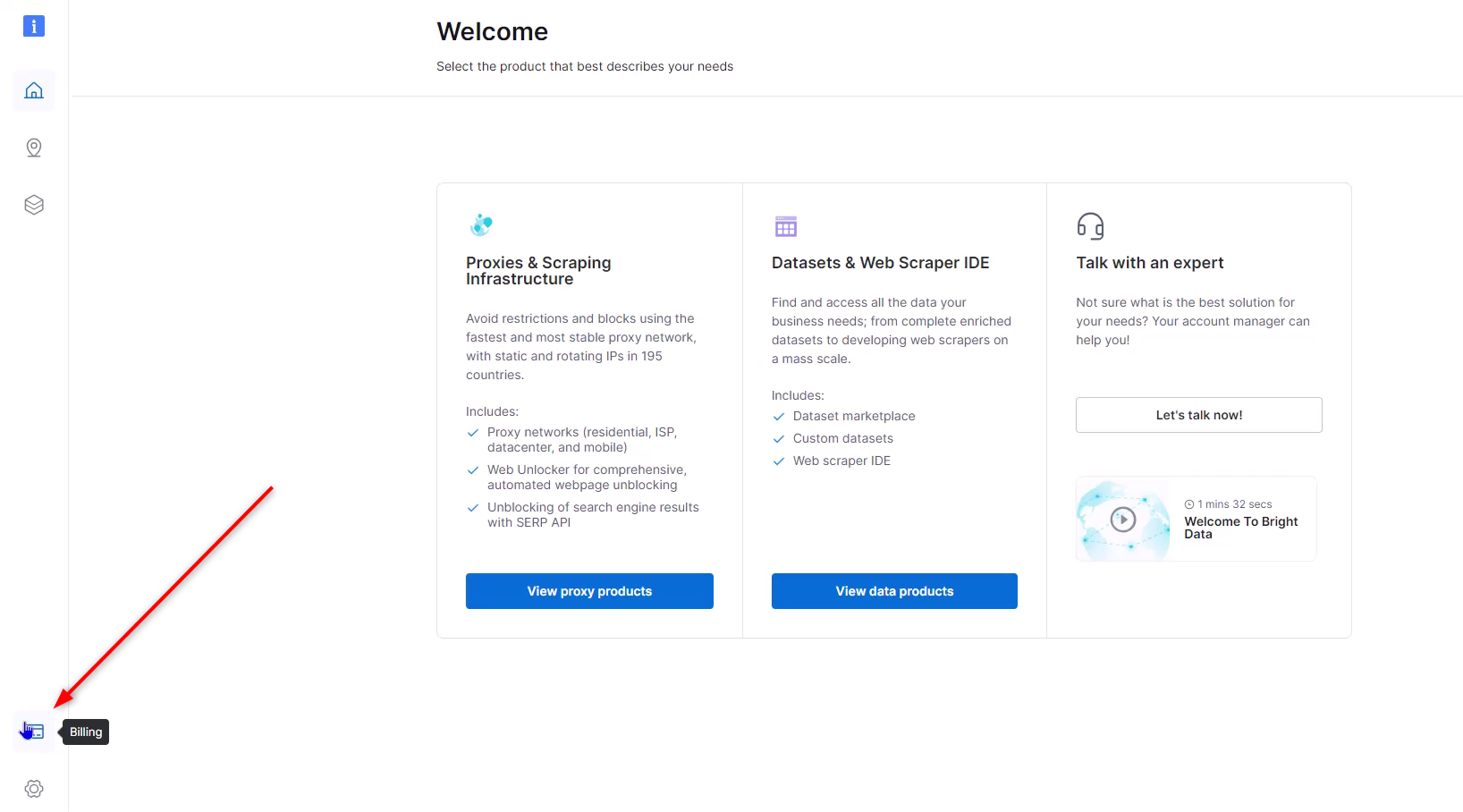
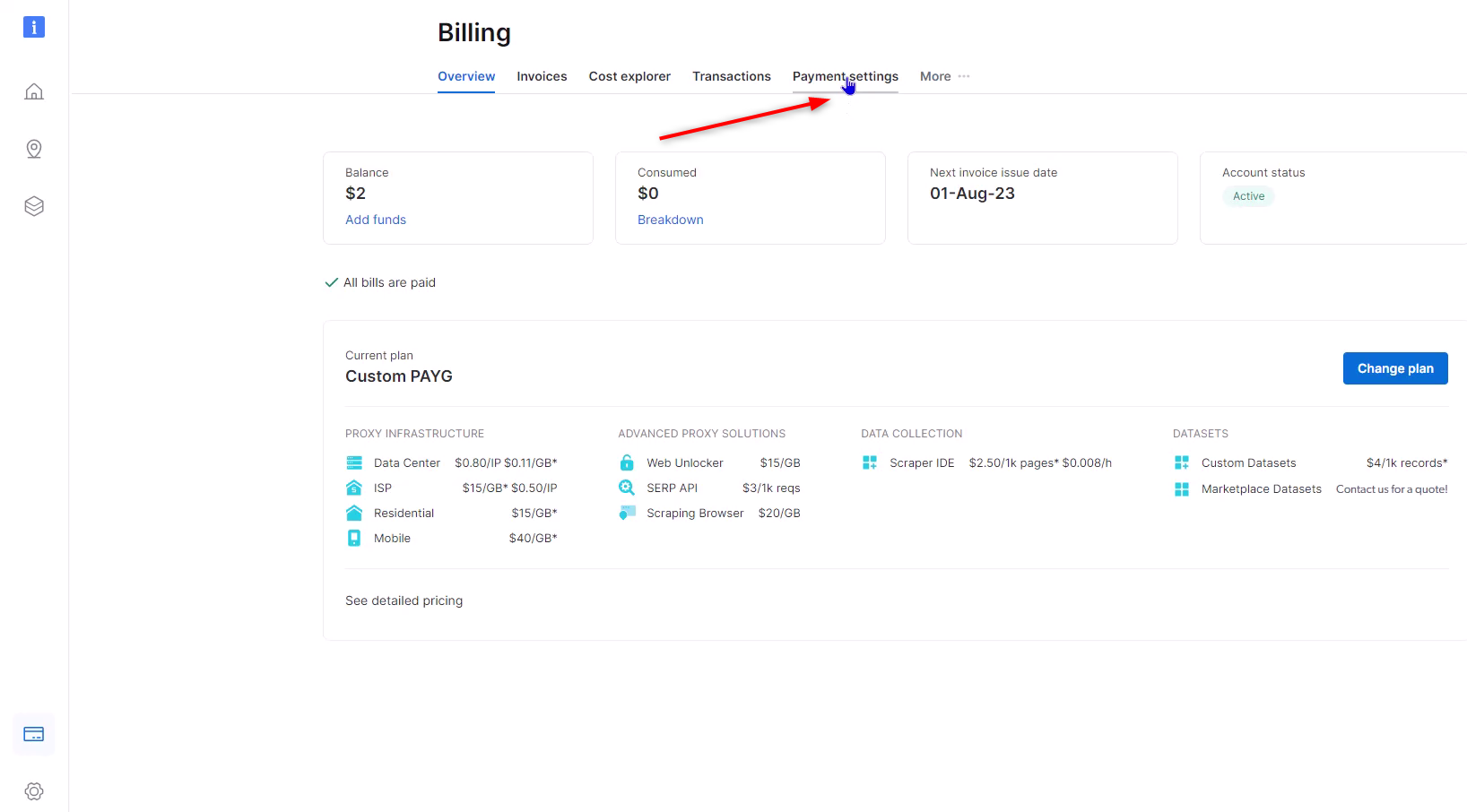
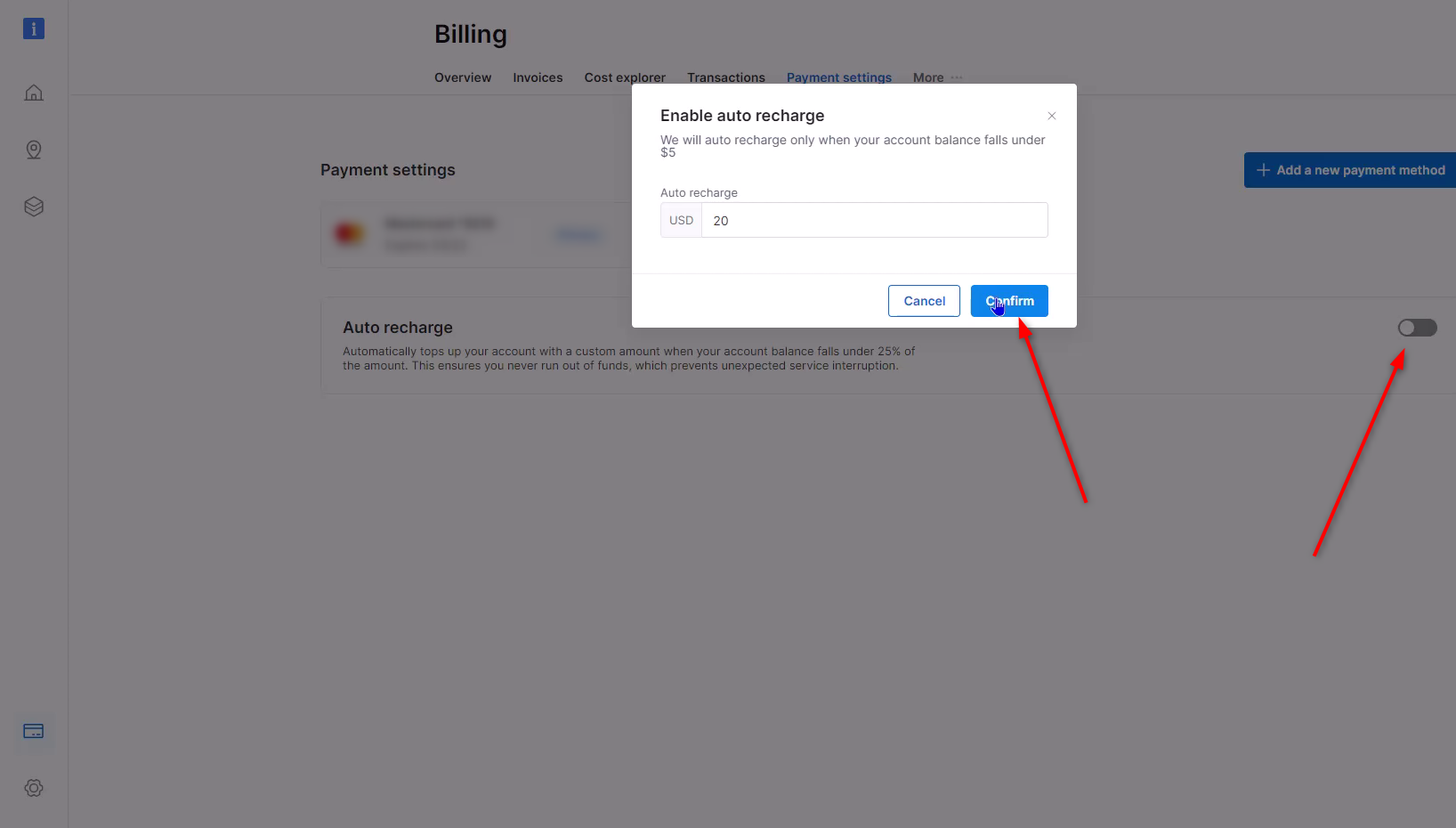
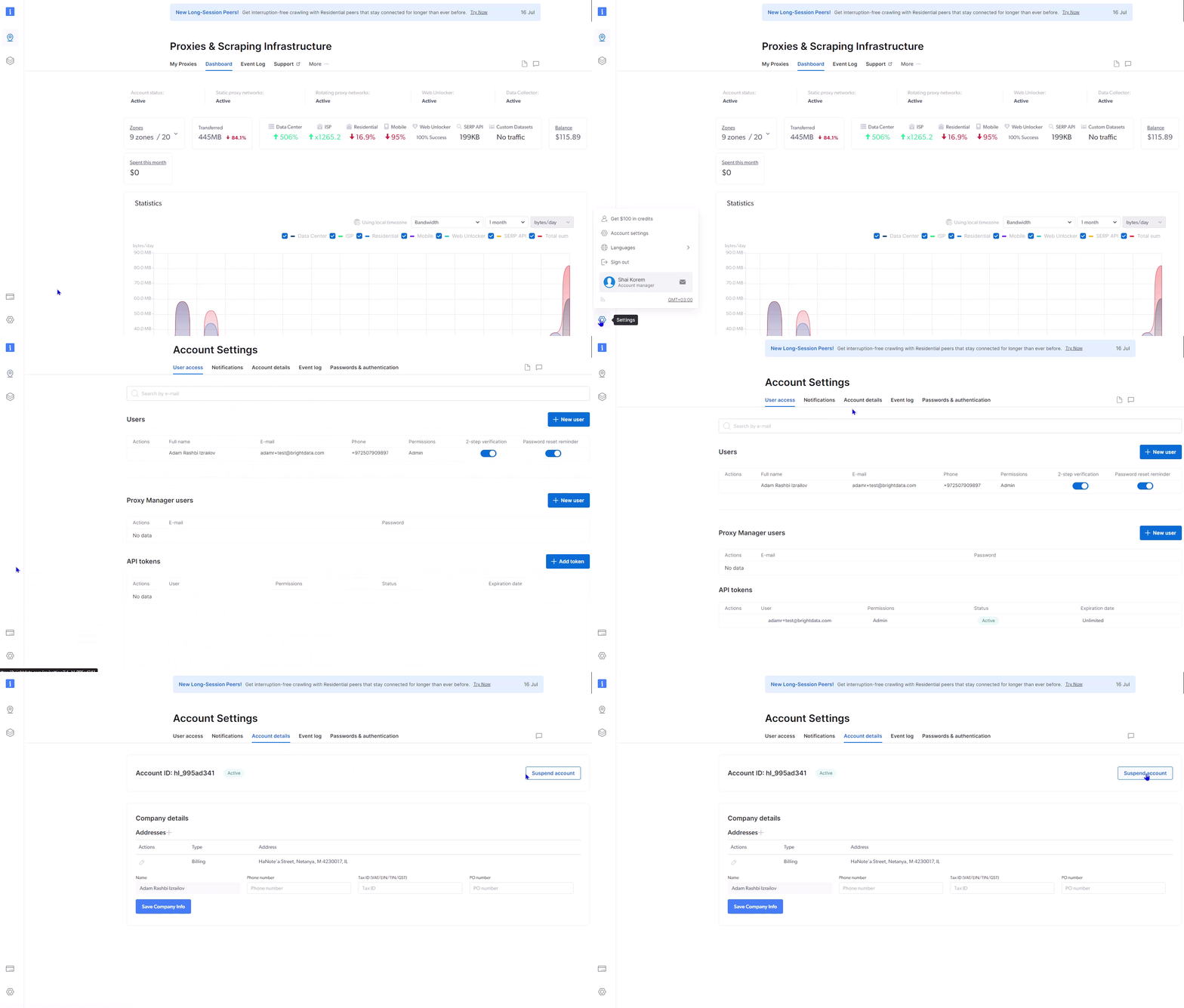 To ensure that your account is never suspended, we highly recommend that you use our automatic recharging option. It can be activated in the “billing” section of your account and ensures uninterrupted service. Auto recharge starts to work when your available balance drops below 85% of the total account balance. The amount set is entirely up to you and can be of any denomination.
 When you make your first deposit into your account, we will match it dollar-for-dollar.
We will match your deposit up to a maximum of \$500. For example, if you deposit \$500, you will receive an additional \$500 in promotional credits. If you deposit \$600, you will still receive the maximum of \$500 in credits.
Yes. The matched promotional credits must be used within 90 days from the date they are added to your account.
Yes. To maintain the bonus, you must have a minimum account usage of \$5 per month. If your usage drops below this amount, the remaining bonus credits may be forfeited.
When you make your first deposit into your account, we will match it dollar-for-dollar.
We will match your deposit up to a maximum of \$500. For example, if you deposit \$500, you will receive an additional \$500 in promotional credits. If you deposit \$600, you will still receive the maximum of \$500 in credits.
Yes. The matched promotional credits must be used within 90 days from the date they are added to your account.
Yes. To maintain the bonus, you must have a minimum account usage of \$5 per month. If your usage drops below this amount, the remaining bonus credits may be forfeited.