> ## Documentation Index
> Fetch the complete documentation index at: https://docs.brightdata.com/llms.txt
> Use this file to discover all available pages before exploring further.
# Disable Captcha Solver
> By default, as part of our full proxy unblocking solution, Browser API also solves CAPTCHAs that are encountered while returning your proxy request.
When disabling CAPTCHA solver, our unlocker algorithm still takes care of the entire ever-changing flow of finding the best proxy network, customizing headers, fingerprinting, and more, but intentionally does not solve CAPTCHAs automatically, giving your team a lightweight, streamlined solution, that broadens the scope of your potential scraping opportunities.
Best for:
* Scraping data from websites without getting blocked
* Emulating real-user web behavior
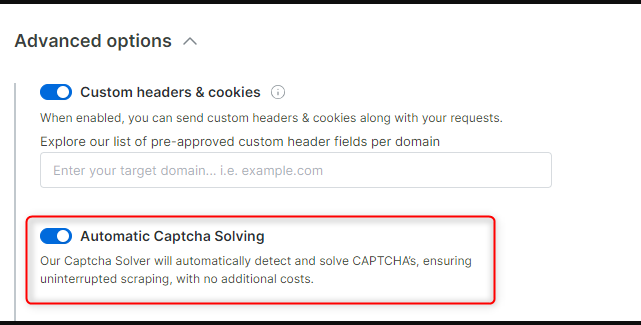
To disable CAPTCHA solving just open the relevant zone, go to the ‘configuration’ tab and open the advanced settings where you will find the ‘Automatic Captcha Solving’ controller. To disable CAPTCHA solving just switch off the toggle.
 If you would like to manually configure our default CAPTCHA solver through CDP commands on your own, see [custom CDP functions](/scraping-automation/scraping-browser/cdp-functions/custom)