

cURL
触发数据收集 API
了解如何使用 Scrapers 触发数据收集,提供发现和 PDP 抓取器的选项。自定义请求,设置交付选项,并高效地检索数据。
POST
cURL
正文
要供抓取器使用的输入。可以作为 JSON 或 CSV 文件提供:Content-Type: application/json输入的 JSON 数组
示例: [{"url":"https://www.airbnb.com/rooms/50122531"}]
Content-Type: multipart/form-data一个 CSV 文件,字段名为 data
示例 (curl): data=@path/to/your/file.csv
Web Scraper 类型
每种抓取器可能需要不同的输入。主要有两种类型的抓取器:1. PDP
这些抓取器需要 URL 作为输入。PDP 抓取器从网页中提取详细的产品信息,如规格、定价和功能。2. Discovery
Discovery 抓取器允许您通过搜索、类别、关键词等来探索和发现新实体/产品。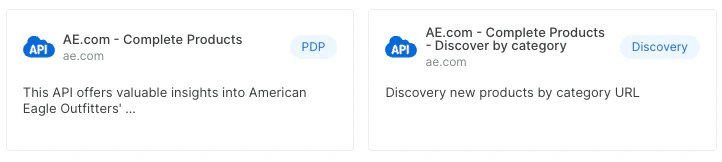
请求示例
PDP 以 URL 输入
PDP 的输入格式始终是 URL,指向要抓取的页面。
Sample Request
基于 discovery 方法的 Discovery 输入
Sample Request
discovery 的输入格式可以根据特定的抓取器有所不同。输入可以是:
Authorizations
在 Authorization 头中使用您的 Bright Data API Key 作为 Bearer token。
认证方法:
- 从 Bright Data 账户设置获取您的 API Key: https://brightdata.com/cp/setting/users
- 在请求的 Authorization 头中包含 API Key
- 格式:
Authorization: Bearer YOUR_API_KEY
示例:
Authorization: Bearer b5648e1096c6442f60a6c4bbbe73f8d2234d3d8324554bd6a7ec8f3f251f07df了解如何获取 Bright Data API Key: https://docs.brightdata.com/cn/api-reference/authentication#如何生成新的-api-key?
Query Parameters
触发数据采集的数据集 ID。
Example:
"gd_l1vikfnt1wgvvqz95w"
输出列列表,用 | 分隔 (例如 url|about.updated_on)。过滤响应,仅包含指定字段。
Example:
"url|about.updated_on"
设置为 "discover_new" 以触发包含发现阶段的数据采集。
Available options:
discover_new 指定使用哪种发现方法。可选项包括: "keyword"、"best_sellers_url"、"category_url"、"location" 等(根据具体 API)。仅对包含发现阶段的采集相关。
在结果中包含错误报告。
每个输入的结果数量限制。仅对包含发现阶段的采集相关。
Required range:
x >= 1限制总结果数量。
Required range:
x >= 1当采集完成时,通知将发送到此 URL,包含 snapshot_id 和状态。
数据将被传送到的 webhook URL。
指定传送到 webhook 的数据格式。
Available options:
json, ndjson, jsonl, csv 发送通知到 notify URL 或通过 webhook 传输数据时使用的授权头。
默认情况下,数据会被压缩发送到 webhook。传 true 可不压缩发送。
Body
- 仅输入 · object[]
- 交付配置和输入 · object
Response
200 - application/json
采集任务成功启动
可在后续 API 中使用的请求 ID
Example:
"s_m4x7enmven8djfqak"