

Make your first request in minutes
Test the SERP API in minutes with this ready-to-use code example.Node.js Example
Python Example
Direct API access (recommended)
A pure REST API method for easy access and straightforward integration.
Native proxy-based access
For workflows that rely on proxy-based routing.
Direct API access (recommended)
A simple and RESTful way to interact with Bright Data’s SERP API. Direct API access abstracts proxy management and allows you to send requests via a central endpoint, ensuring ease of use and straightforward REST API integration.When to use direct API access
- Centralized endpoint: Access SERP API via a single, RESTful endpoint.
- Streamlined direct integration: Eliminating the complexity of managing proxies or routing.
- Single API key authentication: Secure and easy to use, replacing the need for username-password management.
Sending your first request
After setting up your SERP API zone, you’ll find a working SERP API request example and your API key within your zone’s Overview tab: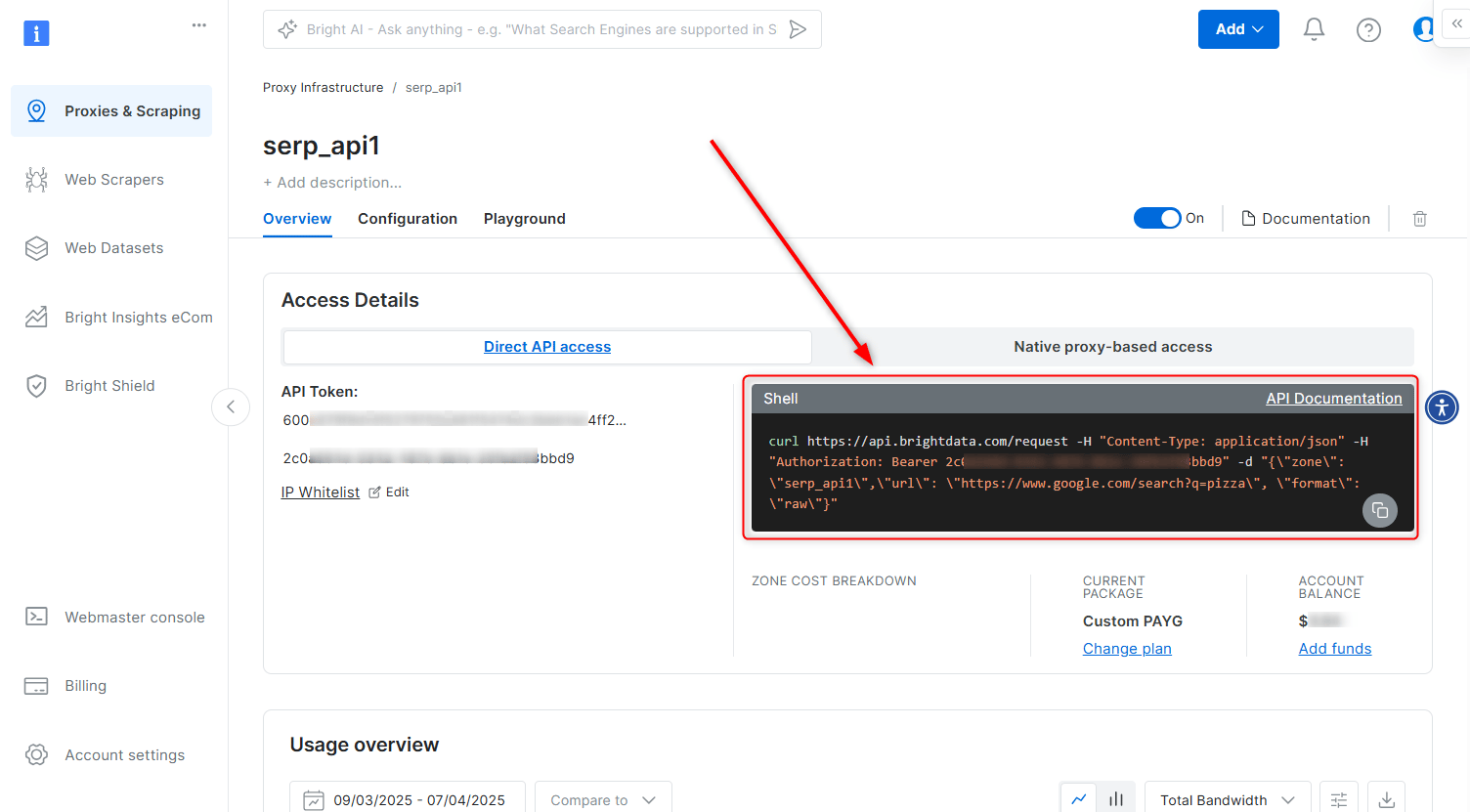
Direct API access - cURL
Request breakdown
- API Endpoint:
https://api.brightdata.com/request - Authorization Header:
Authorization: Bearer [INSERT YOUR API key]- Your API key is found within your SERP API zone.
- Payload:
zone: Your specific SERP API zone name.url: The full SERP target URL (including SERP query params) that you wish to access via SERP API.format: Defines the response format. Userawto receive the raw response from the target site.
Generating your Bright Data API key
A Bright Data API key is your secure authentication token for accessing SERP API via Direct API access. When adding a new SERP API zone in the control panel, an API key will be generated automatically and can be found within the Overview tab of your zone.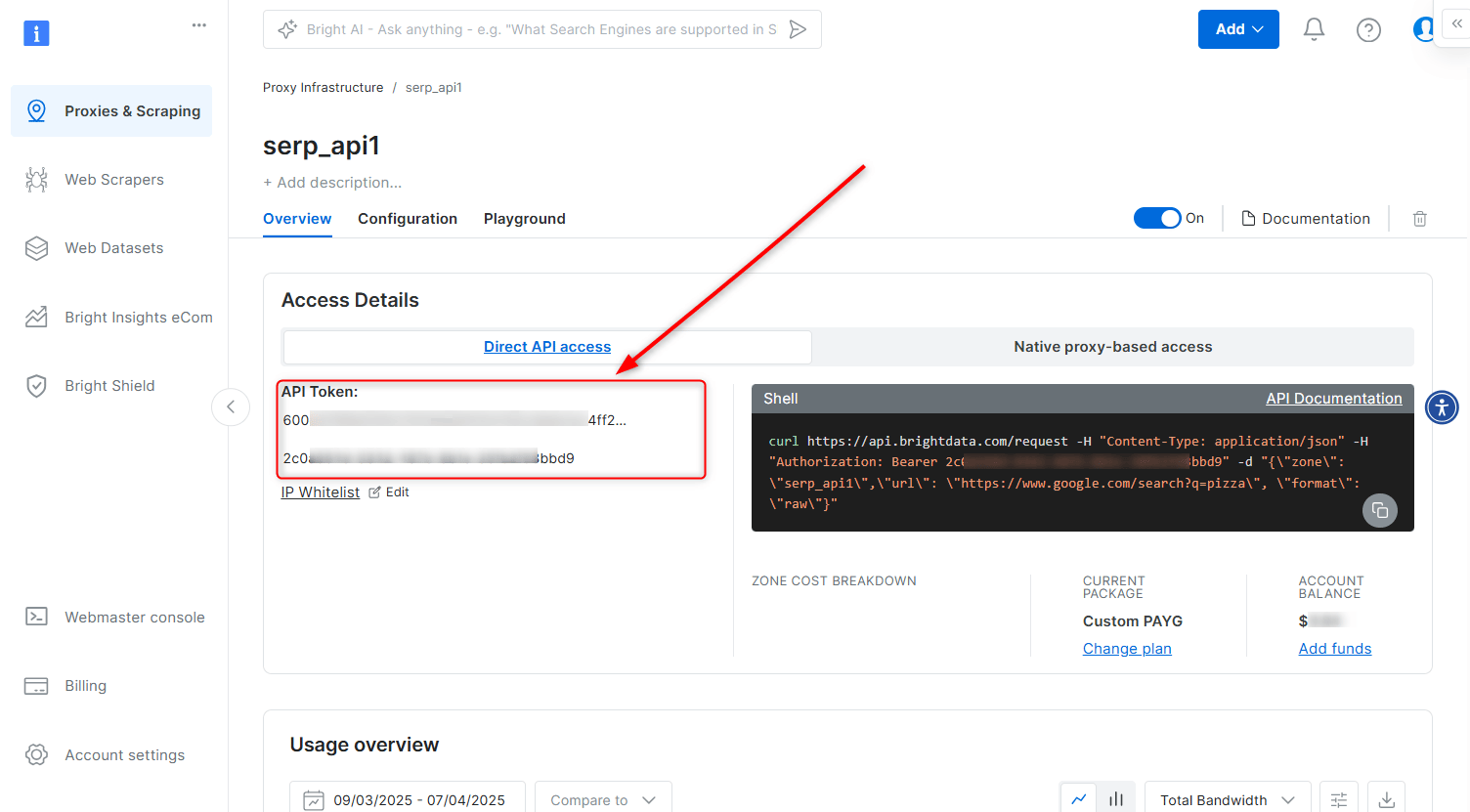
- Navigate to Account settings.
- Scroll down and click the Add API key button.
- Follow the on-screen instructions to complete the process.
Native proxy-based access
In order to access SERP API, you will need to provide credentials which are comprised of:- Your customer ID
- Your SERP API zone name
- Your SERP API password
- Bright Data SSL certificate
Where to find your customer ID
Customer ID can be found in the welcome email you received, or by clicking your account initial letter on the top right screen of your control panel, or by clicking here: Account settings .Zone name and password
Your zone name and password can be found in the overview tab of your SERP API zone in the control panel.Bright Data SSL Certificate
SSL Certificate can be found by clicking “SSL certificate” wizard on your zone’s overview top menu. See further instructions here: SSL certificate. Alternatively, you can ignore SSL errors.SERP API: HTTPS Proxy code examples
Once you have your API credentials, use the following code to send your first request:Send your first async request
Asynchronous requests submit a job, return aresponse_id immediately, and let you collect results later. Use async when you do not need the result in the same HTTP response.
Enable asynchronous requests
In your SERP API zone, open Advanced settings and turn on Asynchronous requests.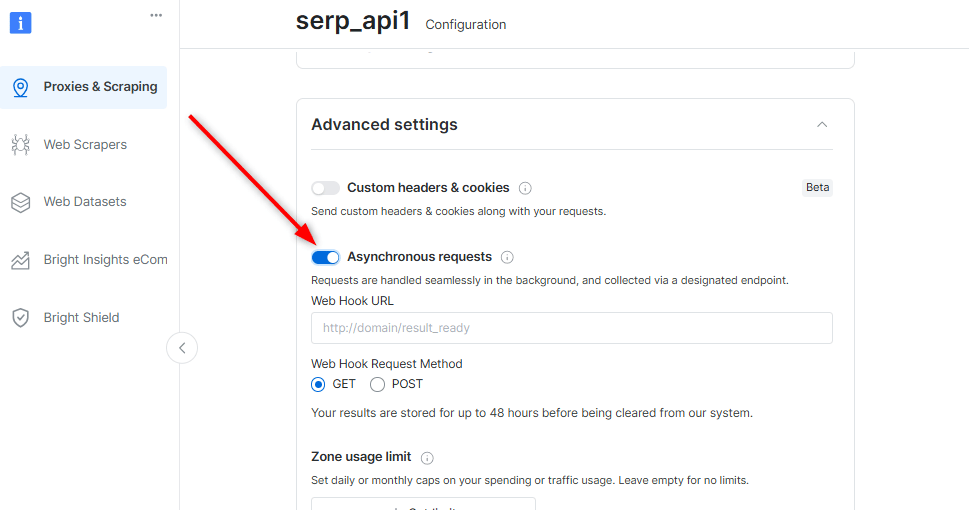
Submit the job
response_id:
Check status and collect the result
While the job is still running, the API returns HTTP202 with "Request is pending". Once it completes, fetch the result:
results.json holds the structured SERP response. For the full field-by-field schema, see Parsed JSON results.
Can Bright Data push the response to my endpoint?
Not with the SERP API async endpoint. Collect results by polling with theresponse_id. If you need Bright Data to deliver a payload to an endpoint you control, use the Google Scraper API, which supports webhook delivery.
For webhook setup, the async-versus-sync comparison and the full parameter list, see Asynchronous requests.