

/trigger endpoint to scrape more than 20 URLs in one job, run discovery collections or deliver results to a webhook or cloud storage. The workflow is the same for every Bright Data scraper: trigger, poll, download. Only the dataset_id changes.
Prerequisites
- A Bright Data account with an active API key
- The
dataset_idfor the scraper you want to run, from the table below - Familiarity with the synchronous request flow for your scraper, for example LinkedIn Scraper API endpoints
Which dataset ID do I use?
Every scraper has its owndataset_id. The examples on this page use LinkedIn profiles. Substitute the ID for the platform you are scraping.
Each scraper exposes several endpoints, for example Amazon has separate IDs for products, reviews and sellers. The full list for each platform is on its introduction page, and every ID is browsable in the scraper library.
Step 1: Trigger the collection
Send aPOST request to the /trigger endpoint with your input URLs:
200 response with a snapshot_id:
Step 2: Monitor progress
Poll the snapshot status until it showsready. This takes 30 seconds to several minutes depending on the number of URLs.
Step 3: Download results
Once the status isready, download the scraped data:
Skip polling with webhooks
If you don’t want to poll for status, add anendpoint parameter to receive results automatically:
Limits and constraints
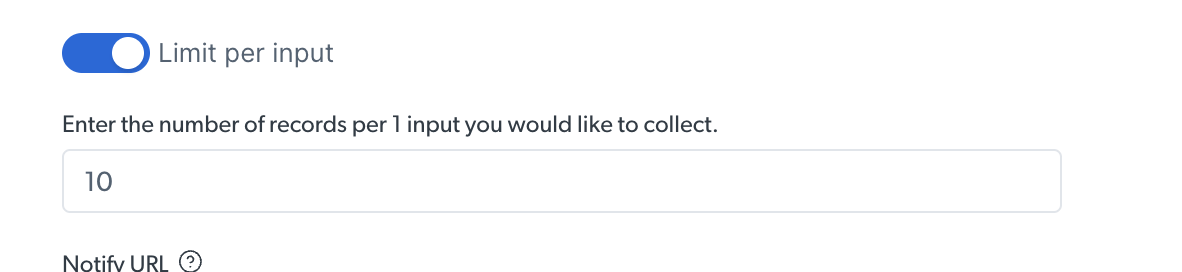
How to limit records per input
When running a discovery collection, you can cap the number of results returned per input. Set this in the scraper’s configuration in the Control Panel.
Troubleshooting
Getting a 429 Too Many Requests error?
You receive429 Too Many Requests when you exceed the concurrent job limit, 5,000 active jobs or snapshots. Bright Data blacklists any IP that collects 25 or more 429 responses within 5 minutes, and a blacklisted IP is blocked from every API request until support clears it. So a 429 is a signal to slow down, not to retry at once.
- Stop sending new requests as soon as you receive a 429.
- Wait before retrying: the number of seconds in the
Retry-Afterheader if present, otherwise exponential backoff of 2, 4, 8, 16 and 32 seconds. - Reduce concurrency if 429s keep coming; you are over the limit.
Snapshot status shows ‘failed’?
Check that all input URLs are valid for the scraper you are calling. A LinkedIn URL sent to the Amazondataset_id fails. Review the error details in the snapshot response or in the Logs tab of your Bright Data dashboard.
Results are incomplete or missing some URLs?
Some URLs may fail individually while the overall job succeeds. Check the snapshot response for anyerrors field. Retry failed URLs in a separate request.
FAQ
How many URLs can I send in one async request?
Async requests accept up to 1 GB of input data per job, which is tens of thousands of URLs. Use the synchronous endpoint only when you have 20 URLs or fewer and want the results in the same response.How are inputs processed across concurrent requests?
All inputs are processed in parallel. Processing capacity is shared equally across all running jobs for a given scraper. Start time does not affect priority either, jobs are not processed in first-in-first-out or last-in-first-out order. A job started an hour ago and a job started a minute ago receive the same share of capacity.Do I need a different dataset ID for each platform?
Yes. Thedataset_id query parameter selects both the platform and the endpoint, for example Amazon products versus Amazon reviews. The table above lists the primary ID per platform, and each platform’s introduction page lists the rest.