跳转到主要内容

Documentation Index

Fetch the complete documentation index at: https://docs.brightdata.com/llms.txt

Use this file to discover all available pages before exploring further.

正在构建 AI 初创公司?

您可能符合我们的初创计划资格。获得本文所介绍基础设施的全额资助访问权限(最高价值 $20,000)。
要求:
1

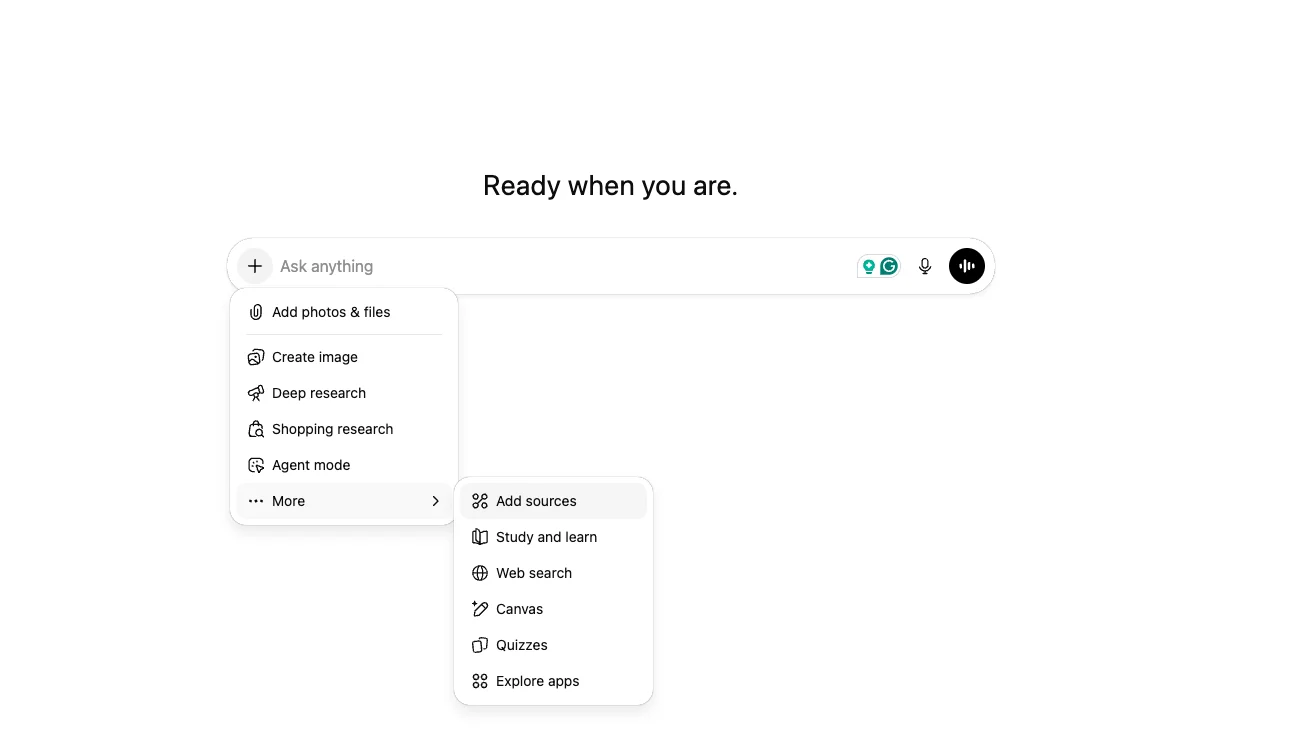
添加新源

转到 ChatGPT 并点击”+“按钮添加新源。Screenshot 2025 12 18 At 15 37 02
2

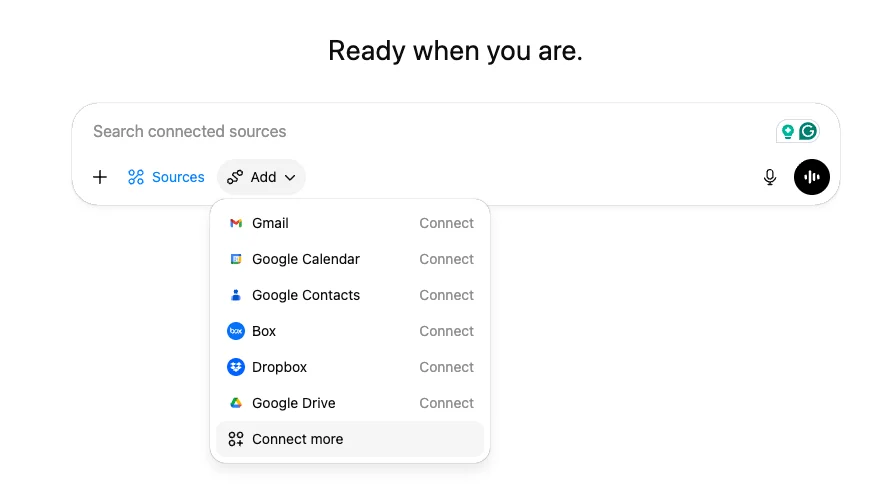
连接更多

点击”添加”按钮,然后选择”连接更多”。Screenshot 2025 12 18 At 15 39 13
3

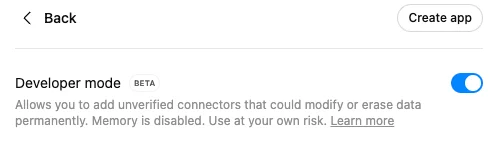
高级设置

点击”高级设置”,启用开发者模式,然后点击”创建应用”。Screenshot 2025 12 18 At 15 48 06
4

连接 Bright Data MCP

点击”创建应用”并填写以下详细信息:
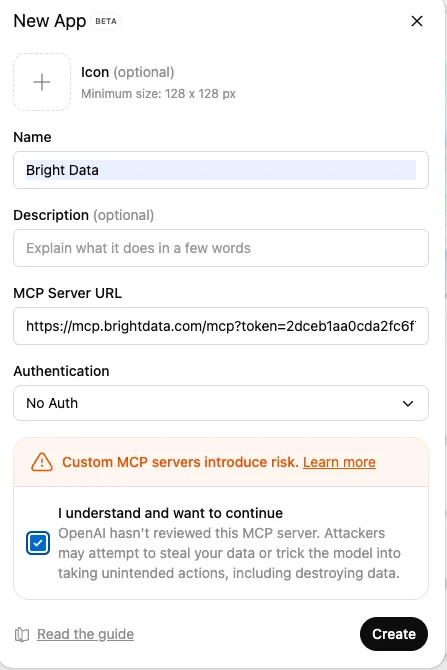
  • 应用名称
  • MCP 服务器 URL:
https://mcp.brightdata.com/mcp?token=<your_api_token>
  • 身份验证:无身份验证
以下是它的样子:Screenshot 2025 12 18 At 15 52 47
5

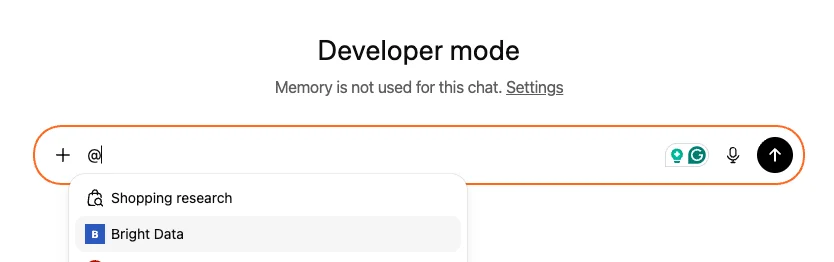
解锁网络

标记 Bright Data MCP 并与开放网络聊天,无需被阻止!Screenshot 2025 12 18 At 15 55 30