

Available Zap Actions
The following actions are currently supported via the Bright Data Zapier integration:How to Integrate Bright Data With Zapier
1
Prerequisites
Before you begin, ensure you have the following:
- A valid Bright Data API Key
- An active Zapier account
- Access to the Bright Data Zapier app
- A clear understanding of what data you want to scrape and where it should be sent
2
Create a Zap
Log in to your Zapier account, navigate to the Zaps section, and click Create Zap to start building your automation workflow.
3
Set Up a Trigger
Choose a trigger app and event that fits your use case. Common examples include:
- Schedule by Zapier, run a scraper hourly, daily, or weekly
- New Row in Google Sheets, trigger scraping when new input data is added
- Webhooks or Form Submissions, trigger scrapers dynamically using real-time inputs
4
Add Bright Data as an Action
In the Action step, search for and select Bright Data. You will then be prompted to choose one of the available scraping or Unlocker actions.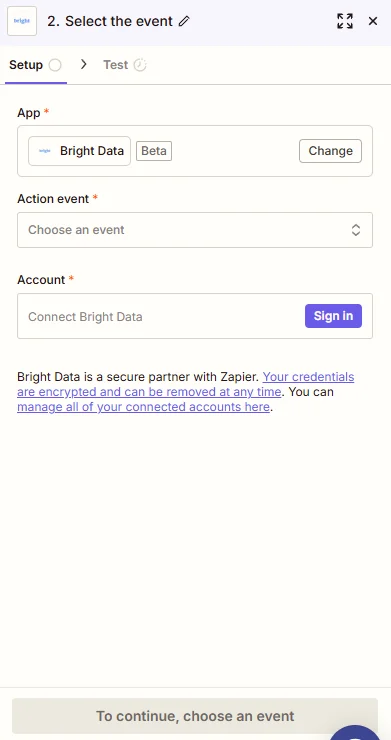
5
Select an Action Event
Choose the Bright Data action that matches your target platform.
For example:
For example:
- Select Scrape Amazon to collect product data
- Select Scrape LinkedIn to extract profile or company information
- Select Run an Web Unlocker API for advanced dynamic website access
6
Connect Your Bright Data Account
Click Sign In next to the Bright Data connection field.
Enter your Bright Data API key to authorize Zapier to run scraping actions on your behalf.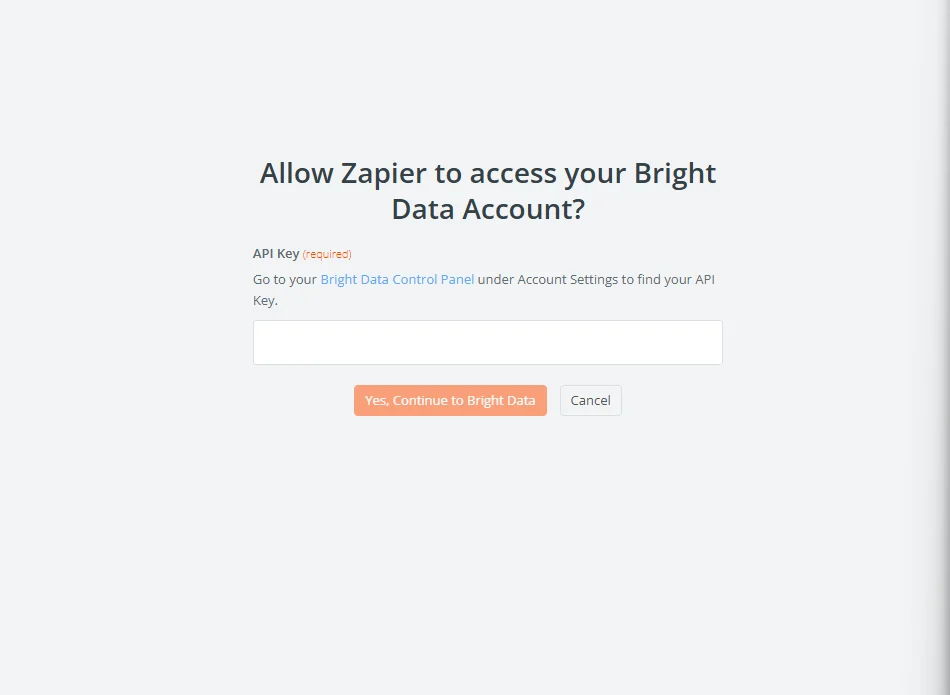
Enter your Bright Data API key to authorize Zapier to run scraping actions on your behalf.
7
Configure Action Parameters
Configure the required input fields for the selected action.
Depending on the scraper, this may include:
Depending on the scraper, this may include:
- Target URLs or search terms
- Country or localization settings
- Result limits or pagination options
- Output format preferences
8
Test the Action
Click Test Action to validate your configuration.
Zapier will execute a sample scrape and return example output so you can confirm:
Zapier will execute a sample scrape and return example output so you can confirm:
- Data is returned successfully
- Fields are mapped correctly
- The response matches your expectations
9
Add Downstream Actions (Optional)
After the Bright Data action, you can chain additional steps, such as:
- Save results to Google Sheets or Airtable
- Send alerts to Slack or Email
- Push structured data into CRMs or internal tools
10
Publish and Monitor Your Zap
Once everything is verified, click Publish Zap to activate it.After publishing:
- Monitor task history in Zapier
- Adjust triggers or scraping parameters as needed
- Scale workflows by duplicating Zaps for other platforms
Best Practices
- Start with low-frequency triggers and scale gradually
- Validate output fields before sending data to production tools
- Use scheduling triggers for predictable workloads
- Monitor Zapier task usage and Bright Data API limits
- Keep API keys secure and rotate them periodically