

Overview
This integration provides your agents with web scraping and multi-engine search operations with bot protection bypass.Prerequisites
Before you begin, ensure you have:- Access to IBM watsonx Orchestrate
- A Bright Data account with an active subscription
- Your Bright Data API key
Steps to Get Started
1
Obtain Your Bright Data API Key
- Log in to your Bright Data dashboard
- Navigate to Account Settings
- Generate an API key if you haven’t already
- Copy and securely store your API key for the next steps
2
Open the Agent Toolset
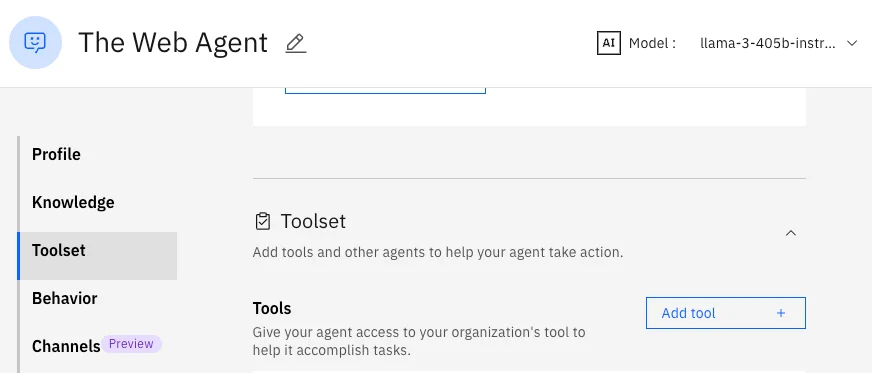
- Navigate to Manage Agents in IBM watsonx Orchestrate
- Select your agent
- In the left menu, click Toolset
- Click Add Tool
3
Add MCP Server Connection
In the “Add tool” dialog: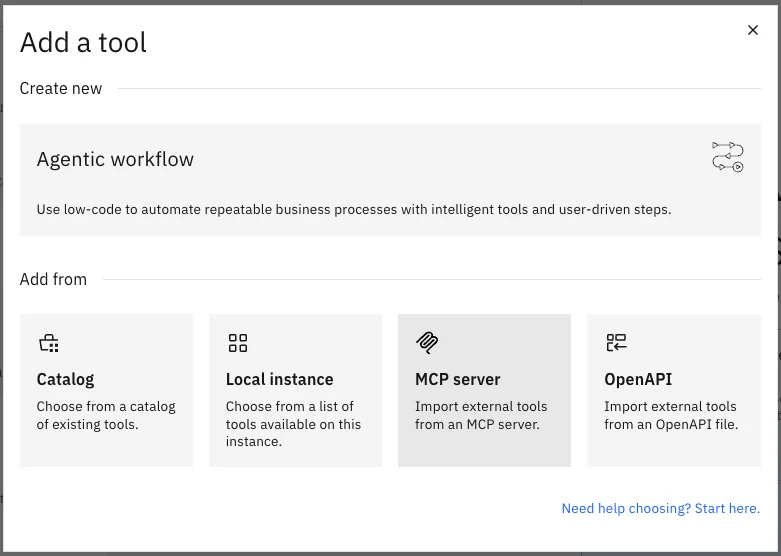
- Select MCP server
-
Click on the Add MCP server button:

-
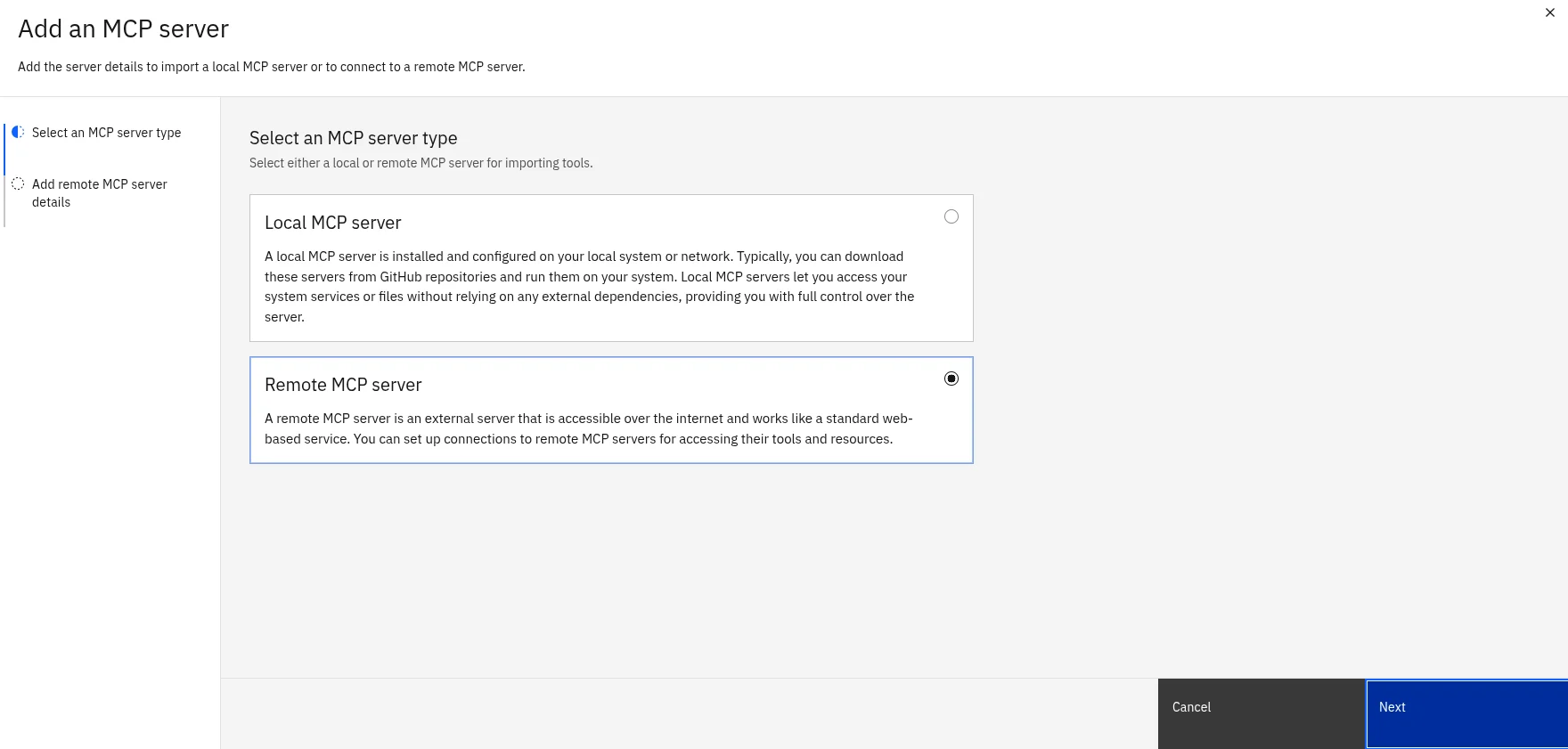
Select Remote MCP and click Next:
-
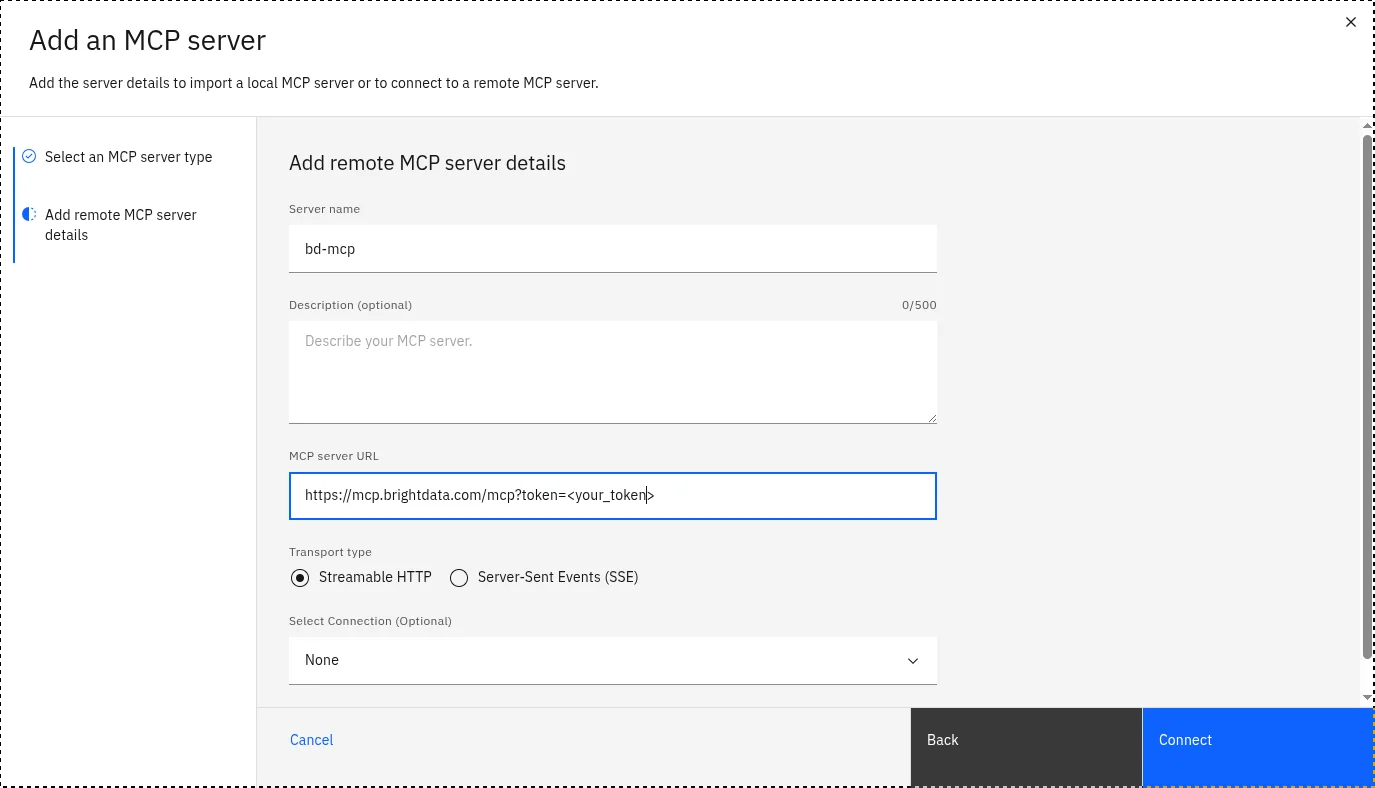
Choose a name for your Bright Data MCP server, add an optional description, and paste the MCP server URL including your API token, then click Connect:
4
Enable Available Capabilities
Once installation completes, multiple capabilities will appear in your agent’s toolset. Enable the following:
search_enginescrape_as_markdown5
Test Your Connection
Verify the integration is working:
- Open your agent’s chat interface
- Ask the agent to perform a simple task (e.g., “Search for recent AI trends”)
- Confirm the agent successfully retrieves and processes data from Bright Data
Example use cases
Oncesearch_engine and scrape_as_markdown are enabled, your IBM watsonx Orchestrate agent can handle prompts like the ones below. Each example shows the user prompt, which Bright Data tool the agent will call, and the expected outcome.
Search the live web with search_engine
Use search_engine when the agent needs fresh SERP results from Google, Bing or Yandex without being blocked.
search_engine, parses the SERP JSON, and replies with a structured summary. No proxy setup or CAPTCHA handling is required on your side.
Extract page content with scrape_as_markdown
Use scrape_as_markdown when the agent needs the full content of a known URL, including pages protected by bot detection.
scrape_as_markdown with the URL, receives clean markdown, and extracts the requested fields. Pages that would normally trigger CAPTCHAs or 403 responses are handled by Bright Data’s Unlocker infrastructure.
Combine both tools in one task
The agent can chainsearch_engine and scrape_as_markdown to answer multi-step questions.
Research workflow
search_engine to get the URLs, then calls scrape_as_markdown once per URL, then synthesizes the comparison. This pattern works for competitor analysis, lead enrichment and content aggregation flows.
What you can do next
Your agent is now connected to Bright Data and ready to:- Extract structured data from major platforms
- Perform geo-targeted web searches
- Scrape website content while bypassing bot protection
- Process large-scale data extraction tasks